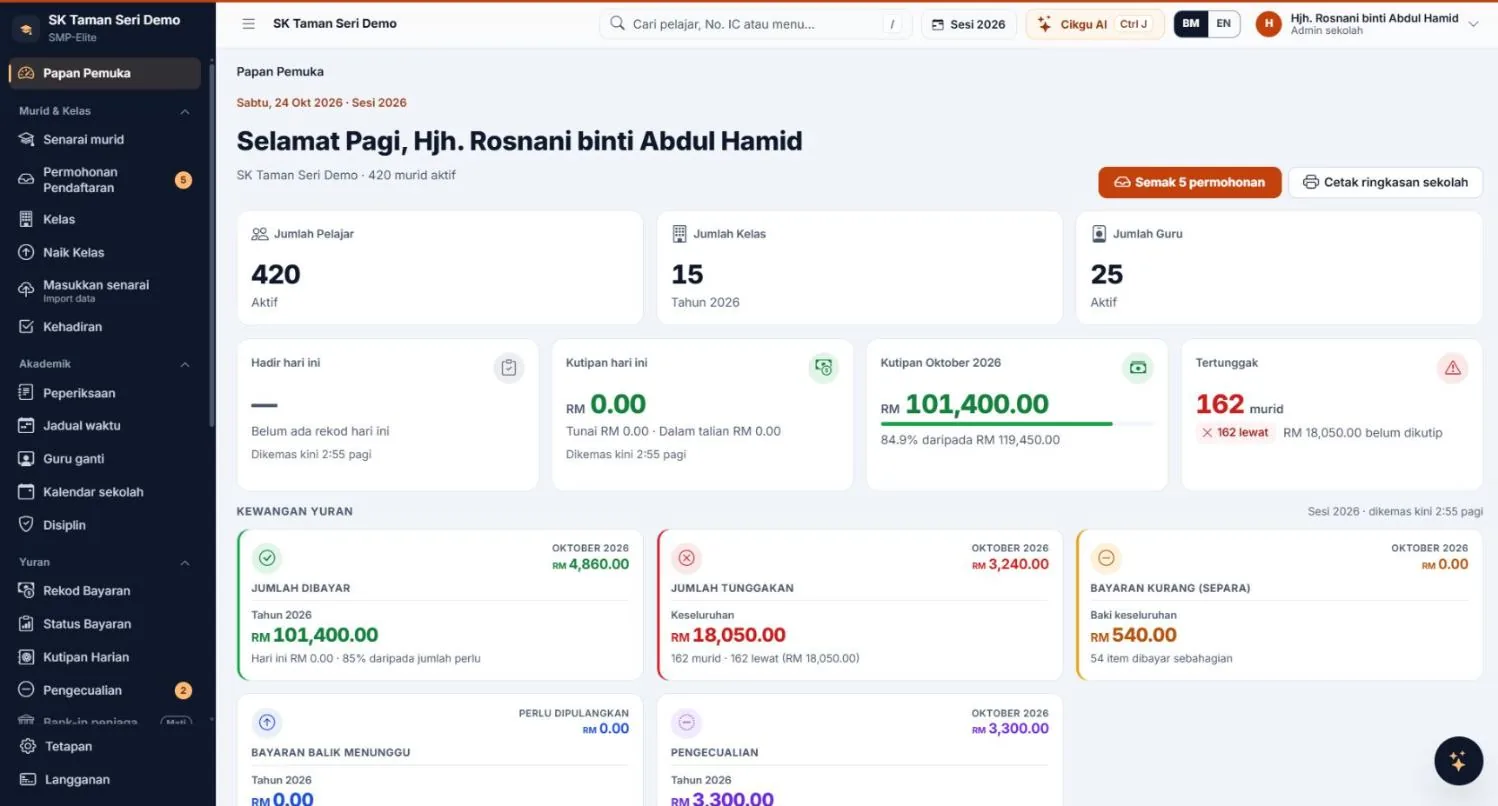
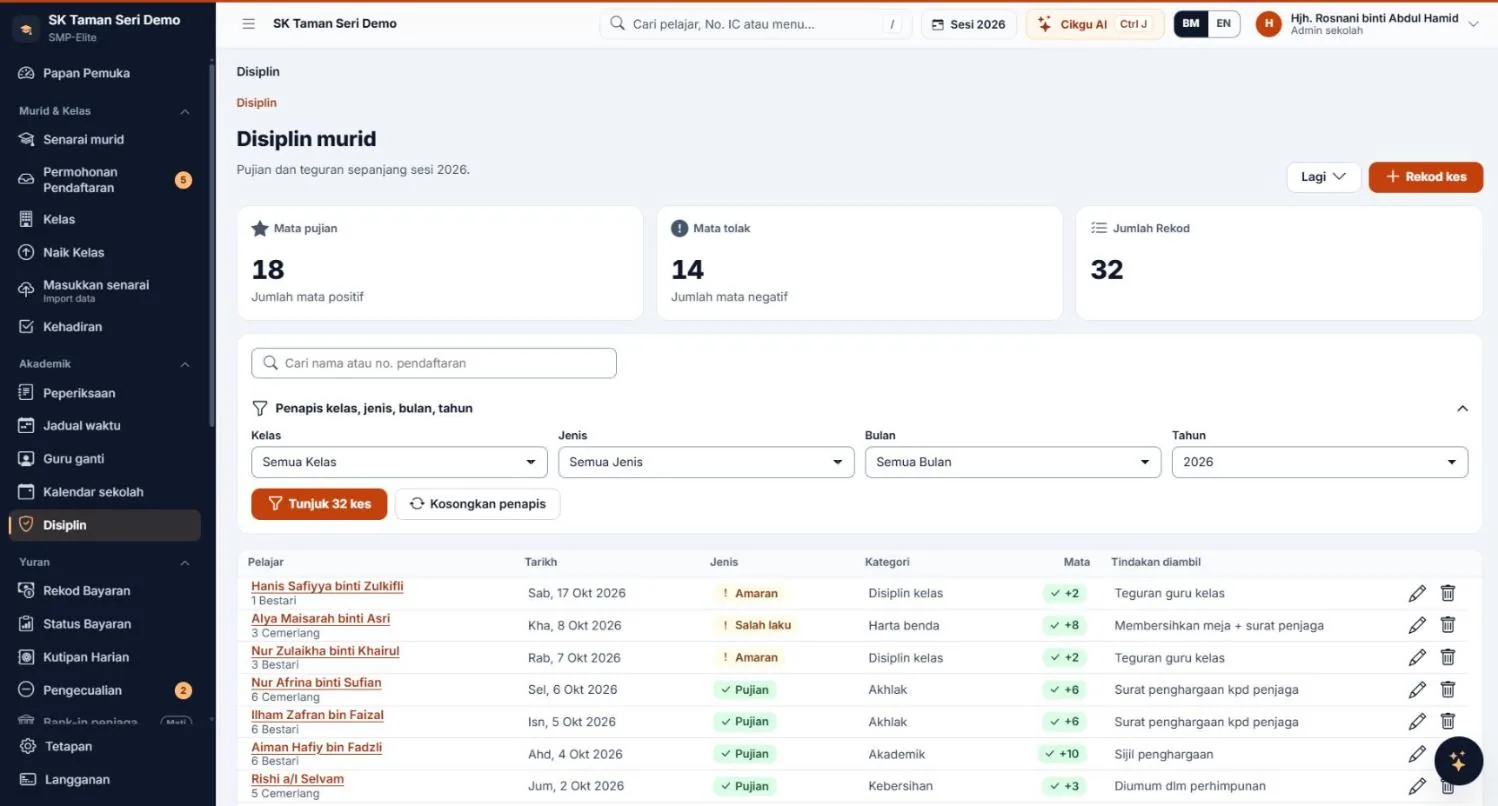
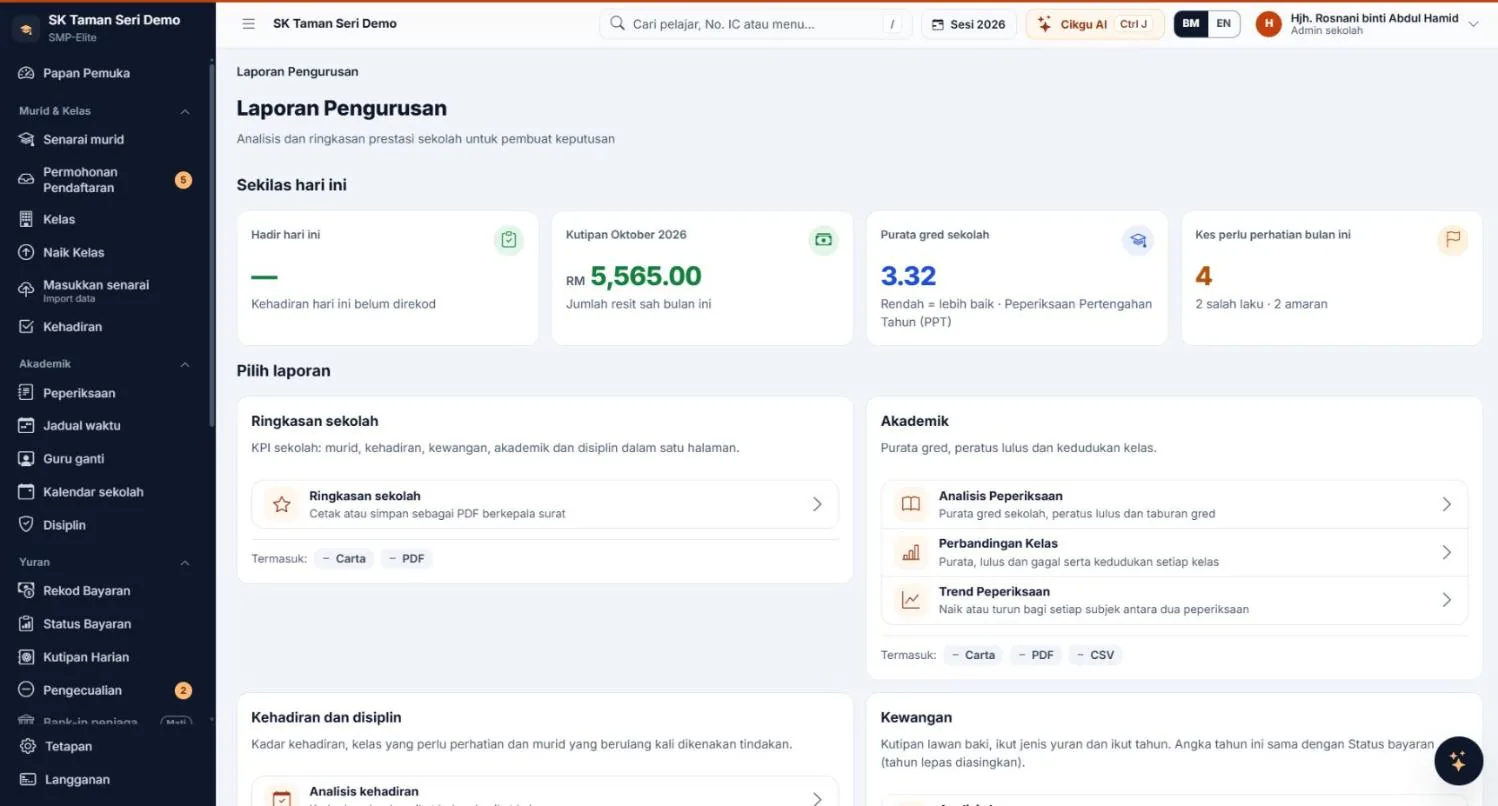
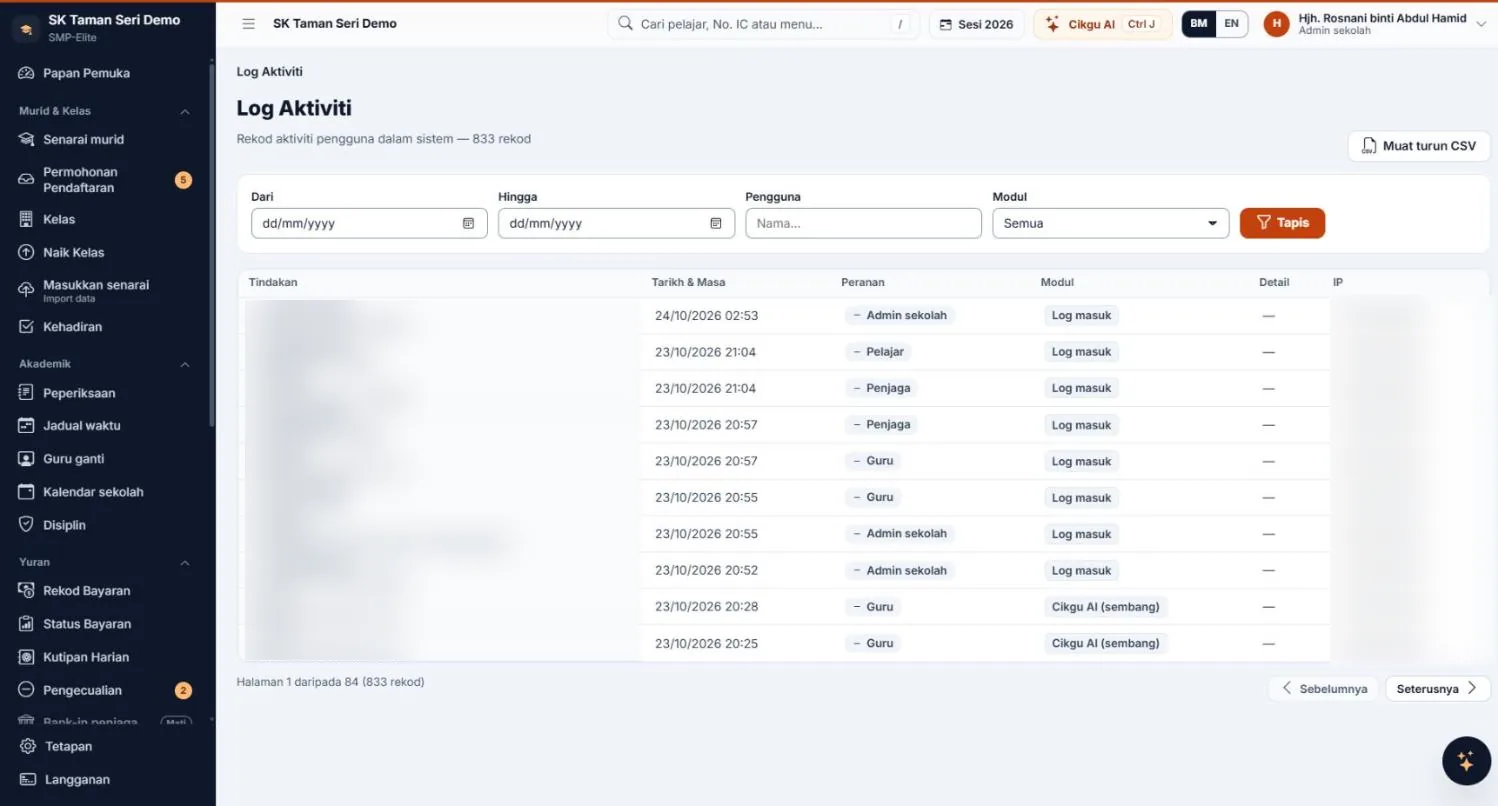
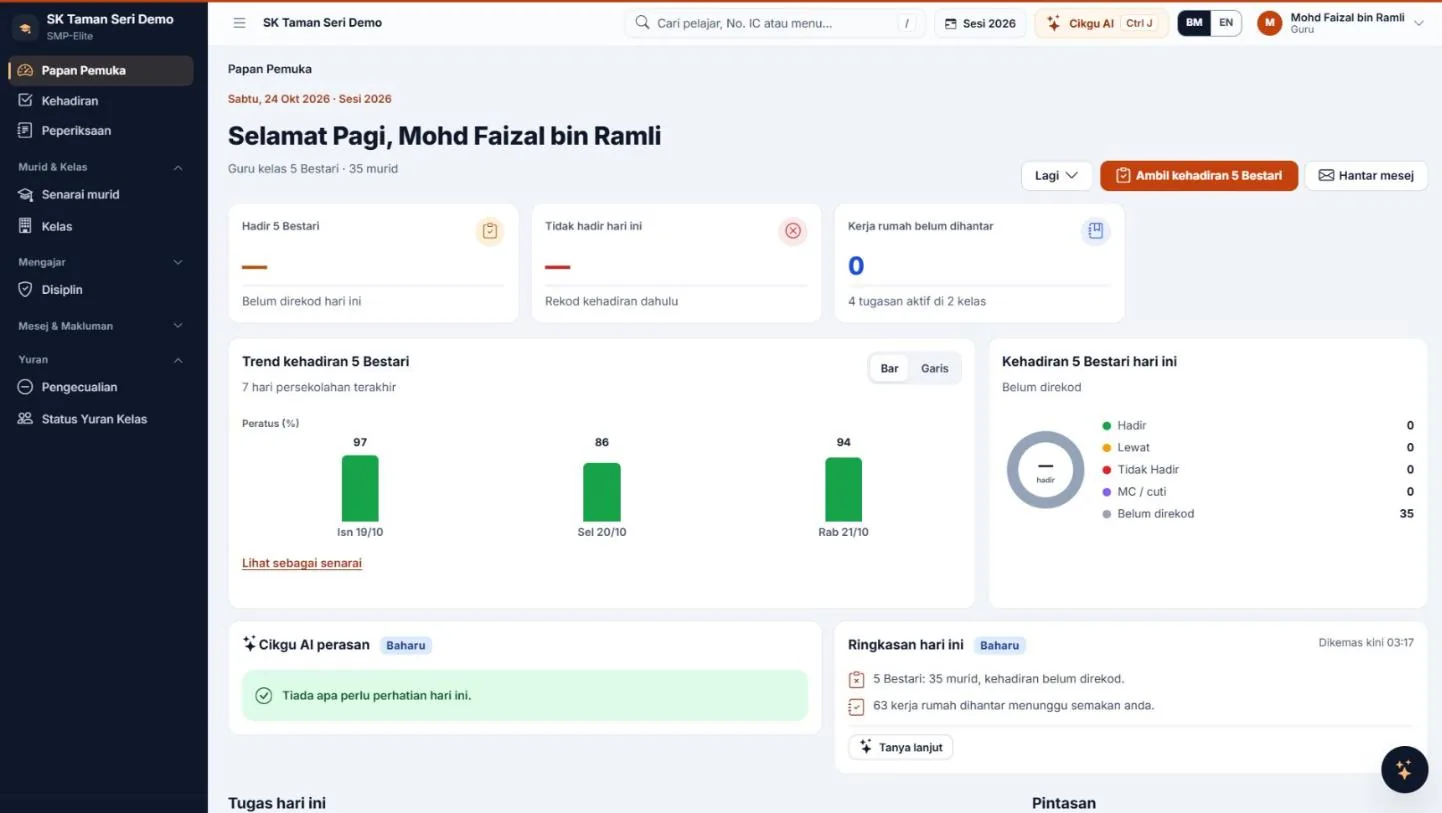
1 / 6 · Attendance
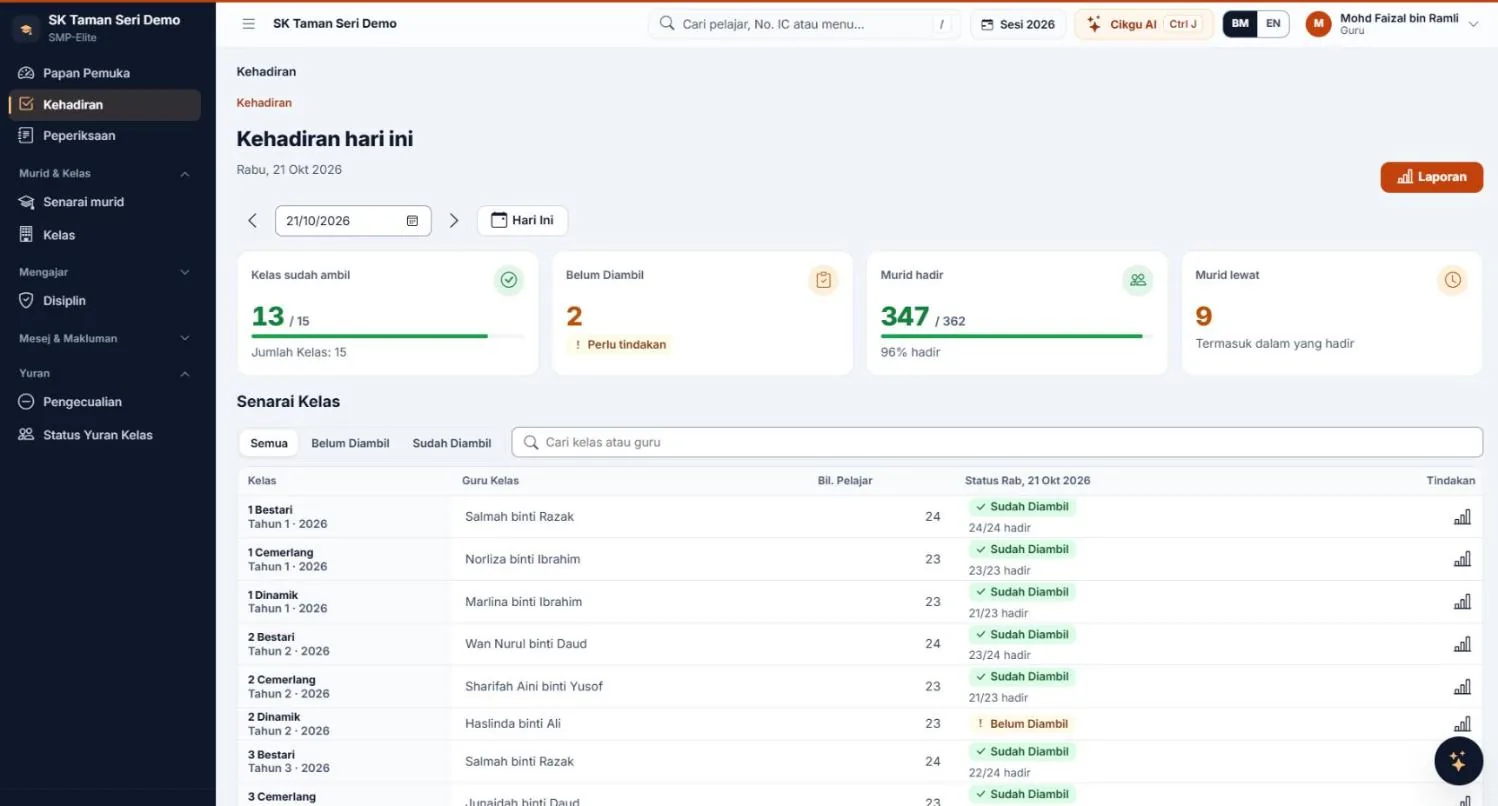
Every class's attendance at a glance
See which classes have and haven't been marked today. Teachers tap Take Attendance for their own class.
School Management System for Malaysia
Students, attendance, fees and exams in one place — with Cikgu AI. For private schools, tahfiz schools, kindergartens and religious schools.
Try 30 DAYS with every Full plan module (e-Invoice excluded) — no credit card.
Core RM79/month: 6 core modules + Cikgu AI LHDN e-Invoice · add-on moduleNo contract · Your data stays even if your subscription ends
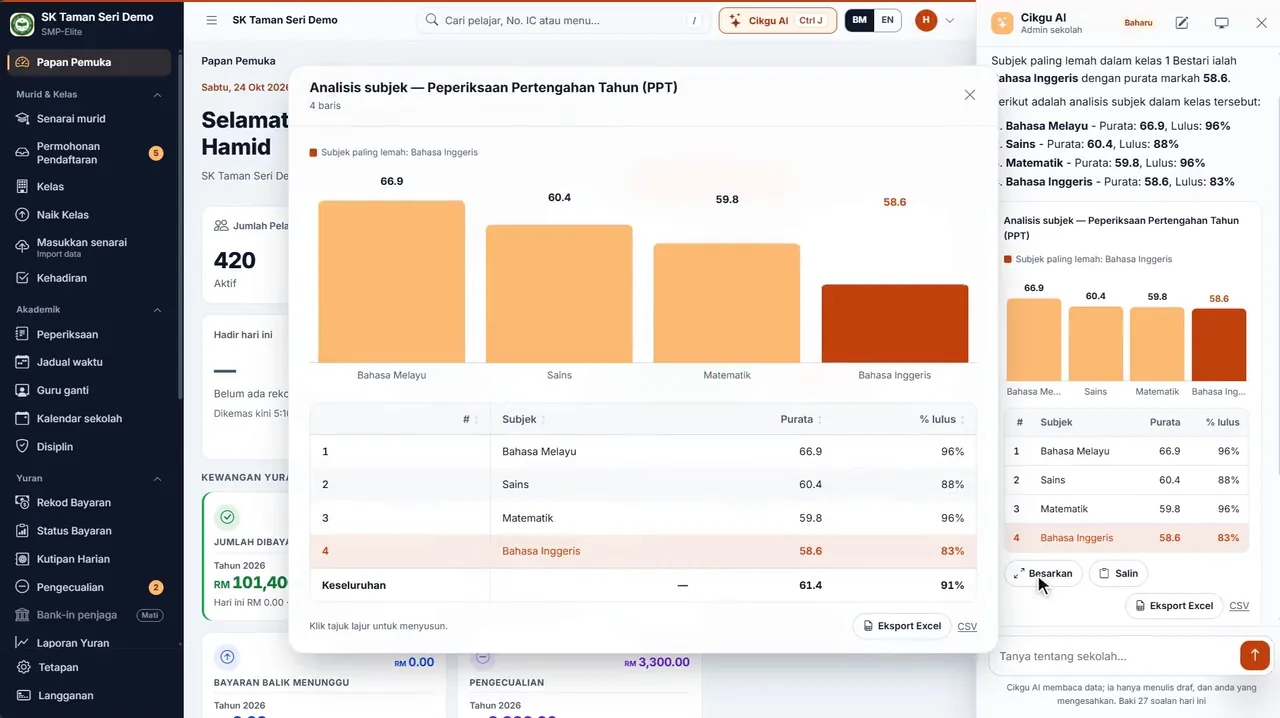
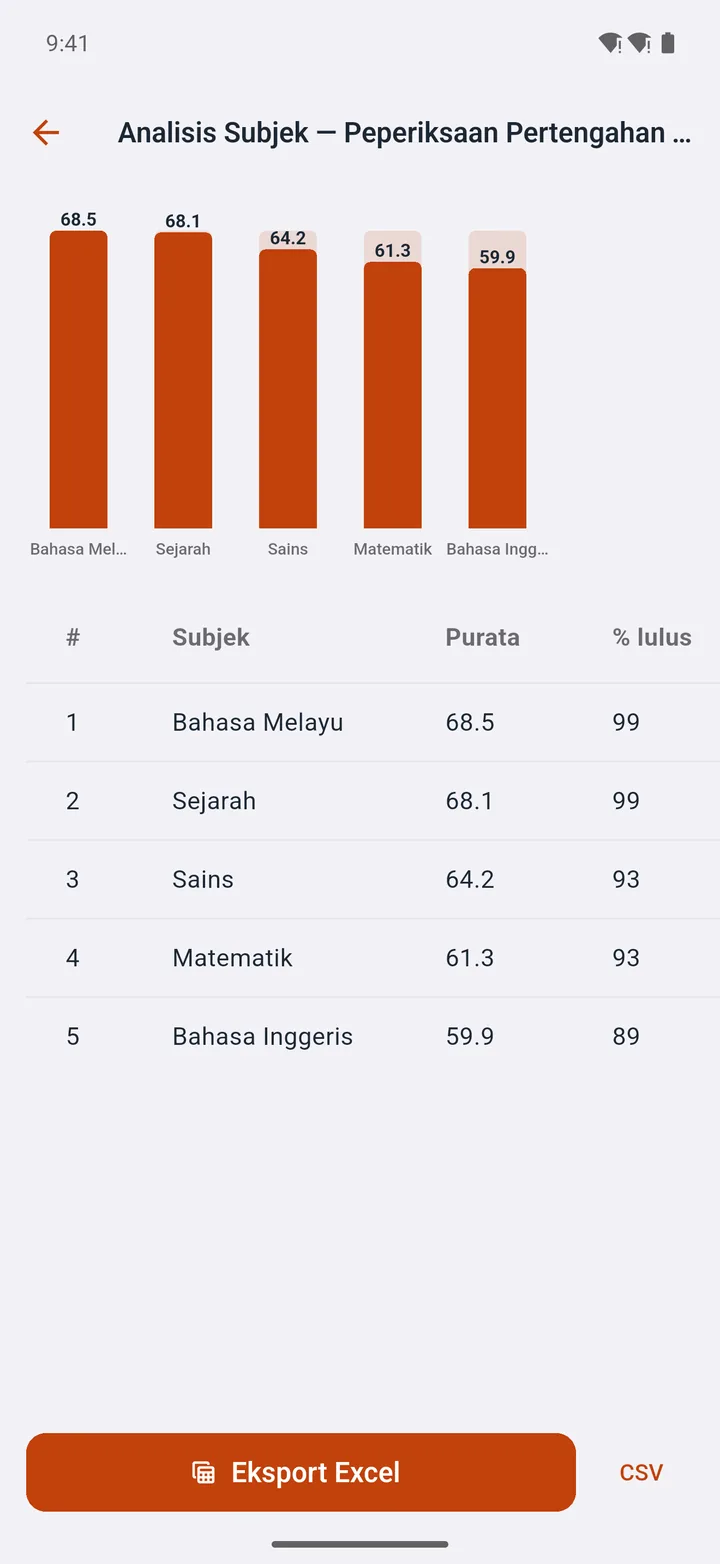
English is the weakest — average 58.6, 83% pass.
Why switch
See for yourself
This is what teachers, clerks and parents use every day — captured from a demo account, latest version.
1 / 6 · Attendance
See which classes have and haven't been marked today. Teachers tap Take Attendance for their own class.
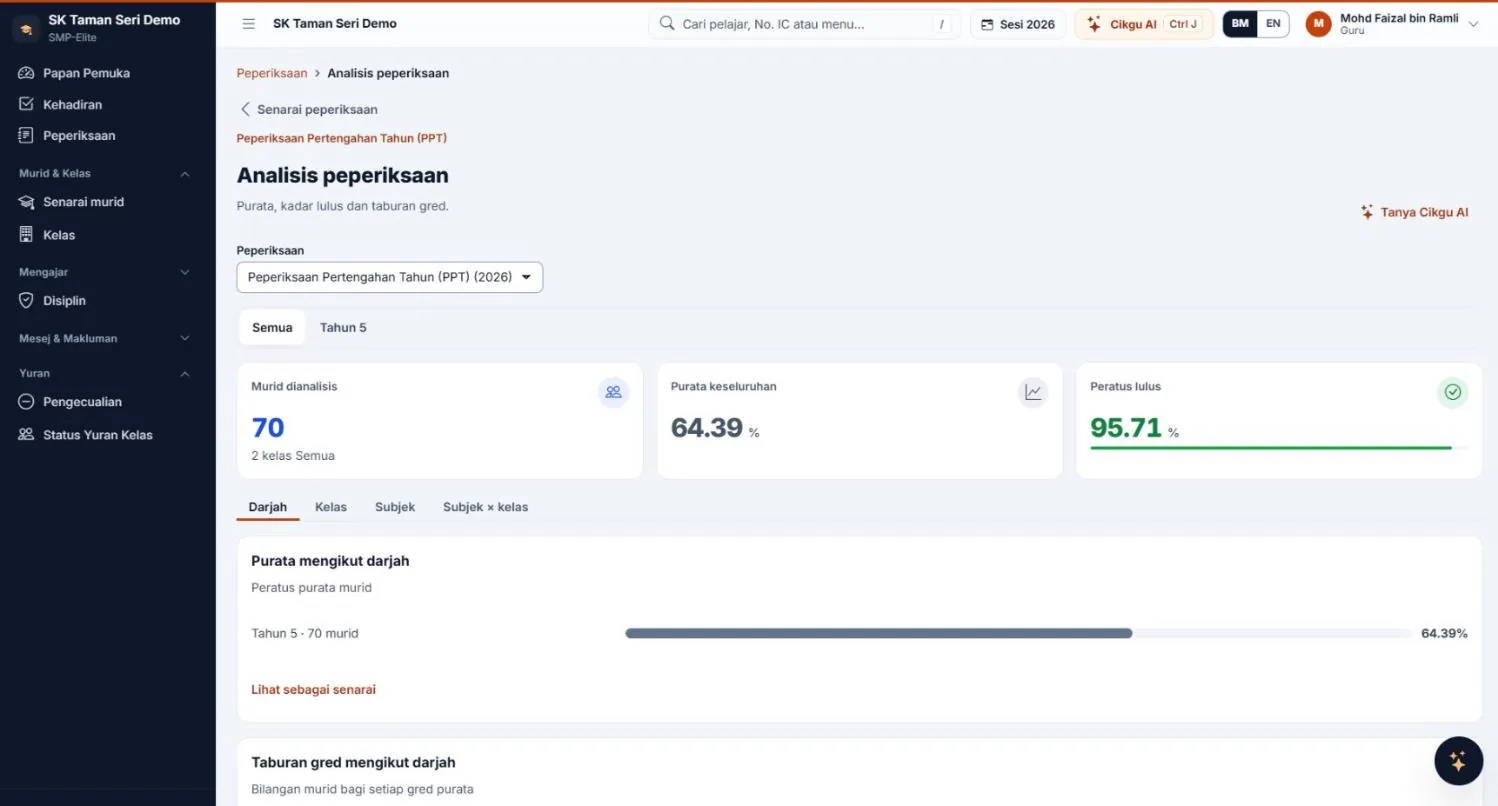
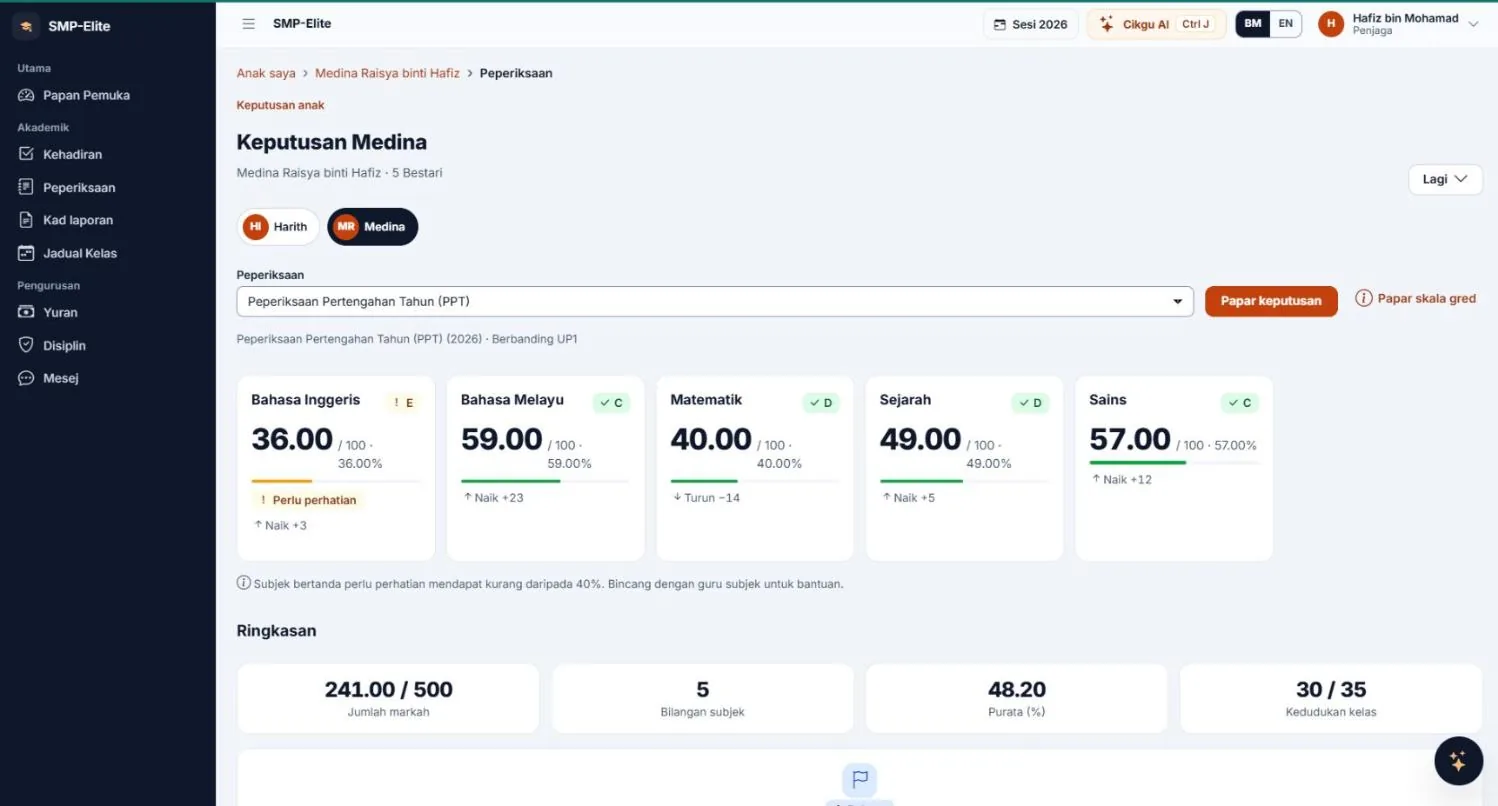
2 / 6 · Exams
The system calculates totals, averages, grades and rankings. Print every slip or notify parents with one tap.
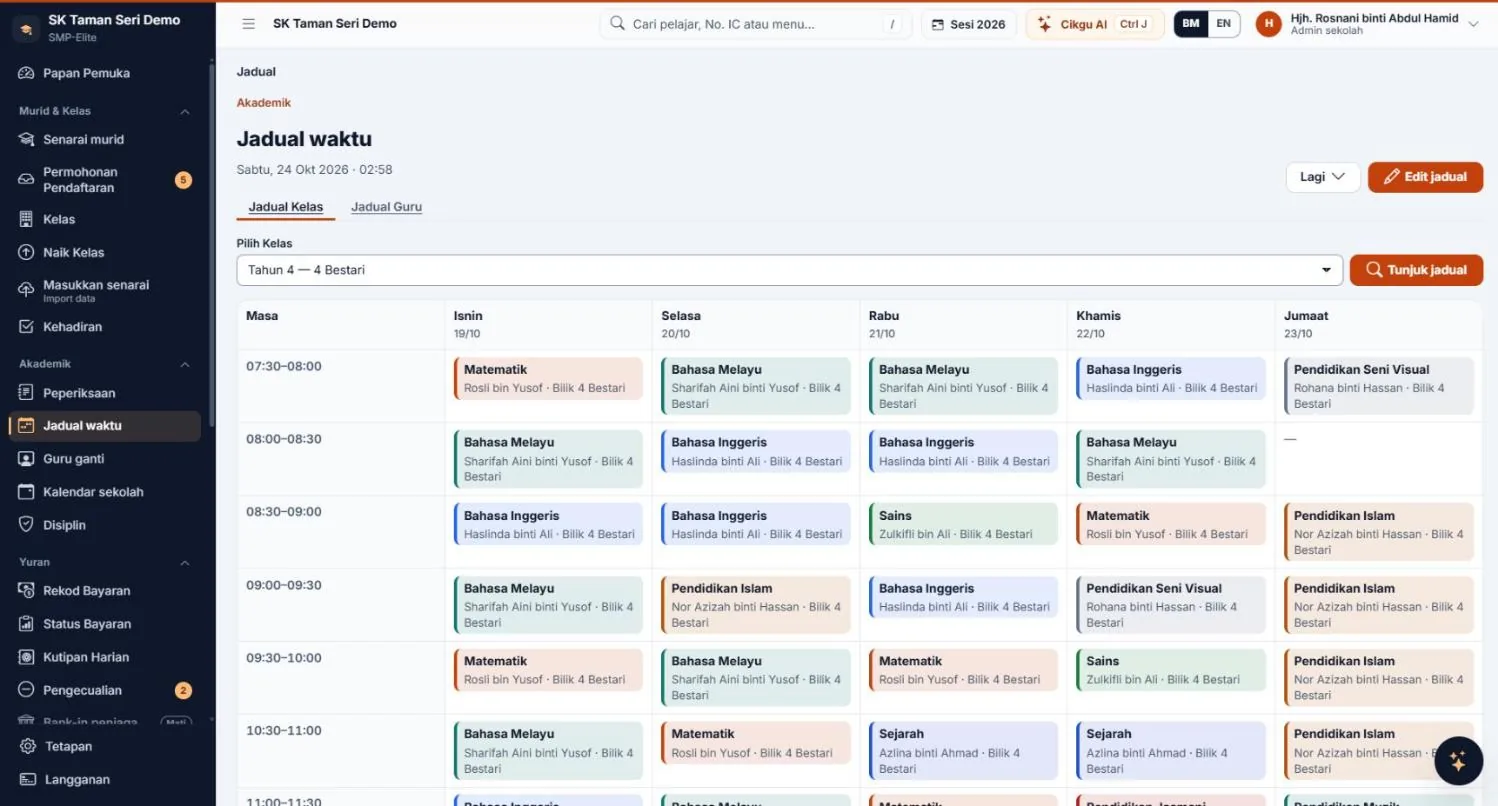
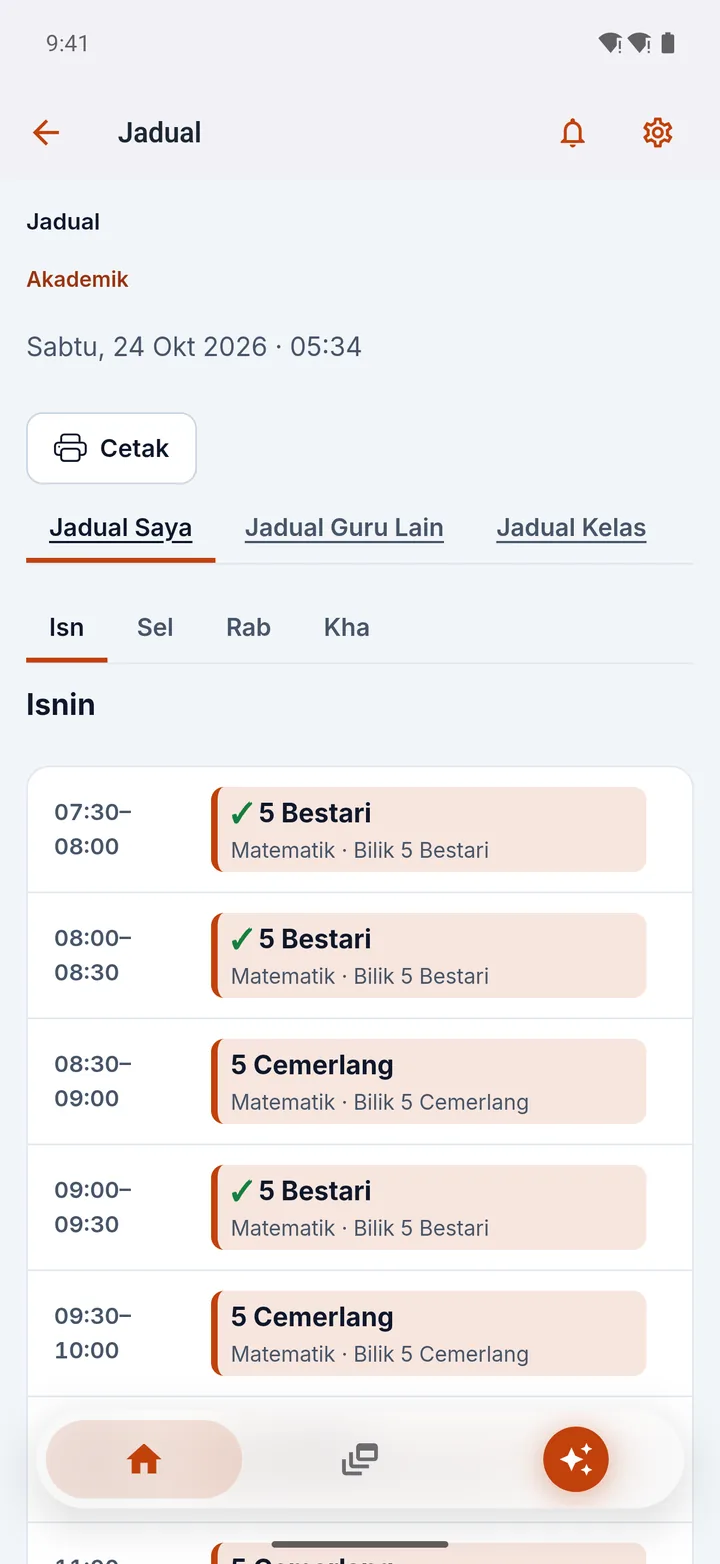
3 / 6 · Timetable
Your timetable, other teachers' and each class's on one screen. Ready to print.
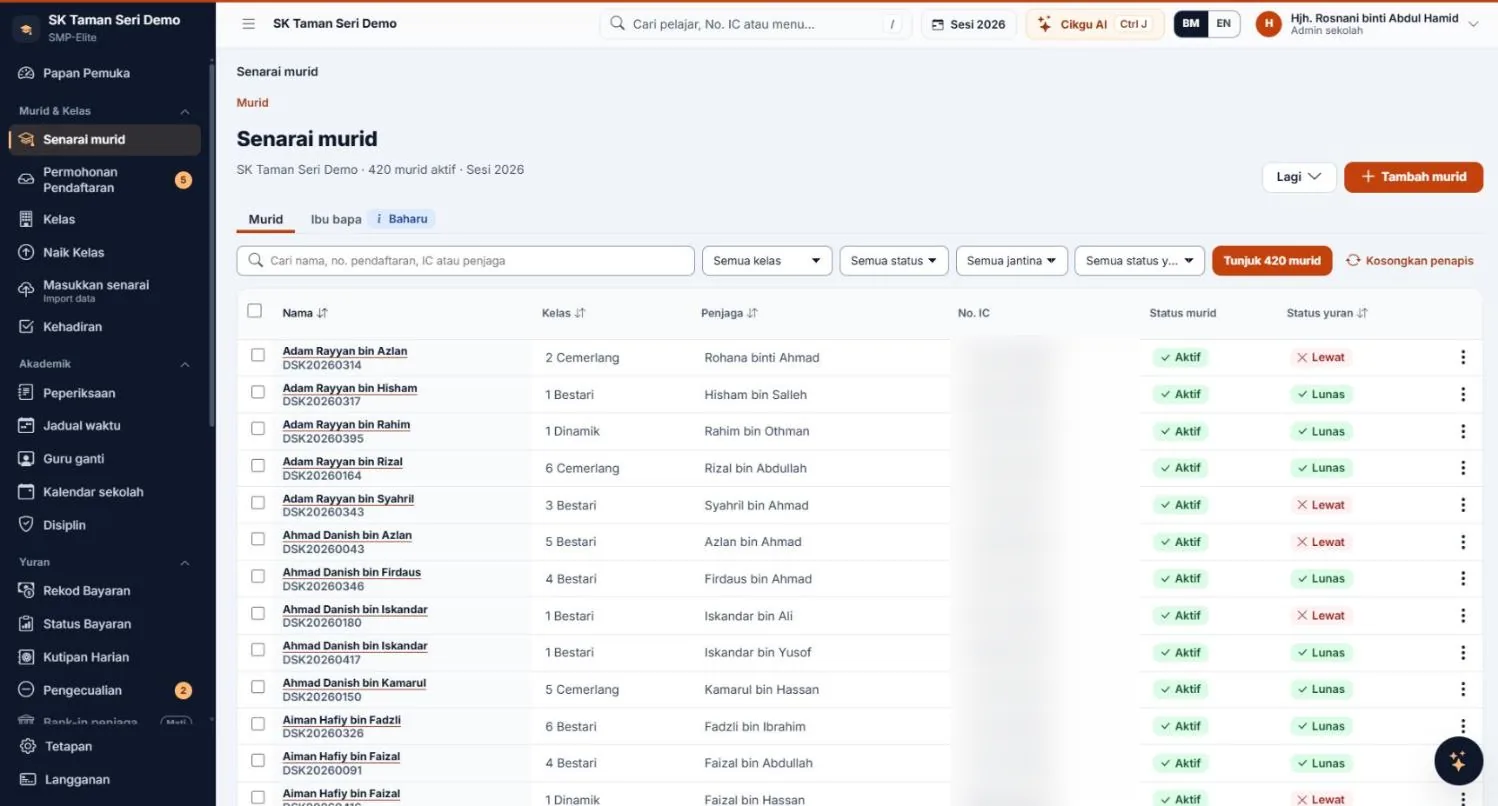
4 / 6 · Students
Search by name or IC number, filter by class. Everything about a student in one place.
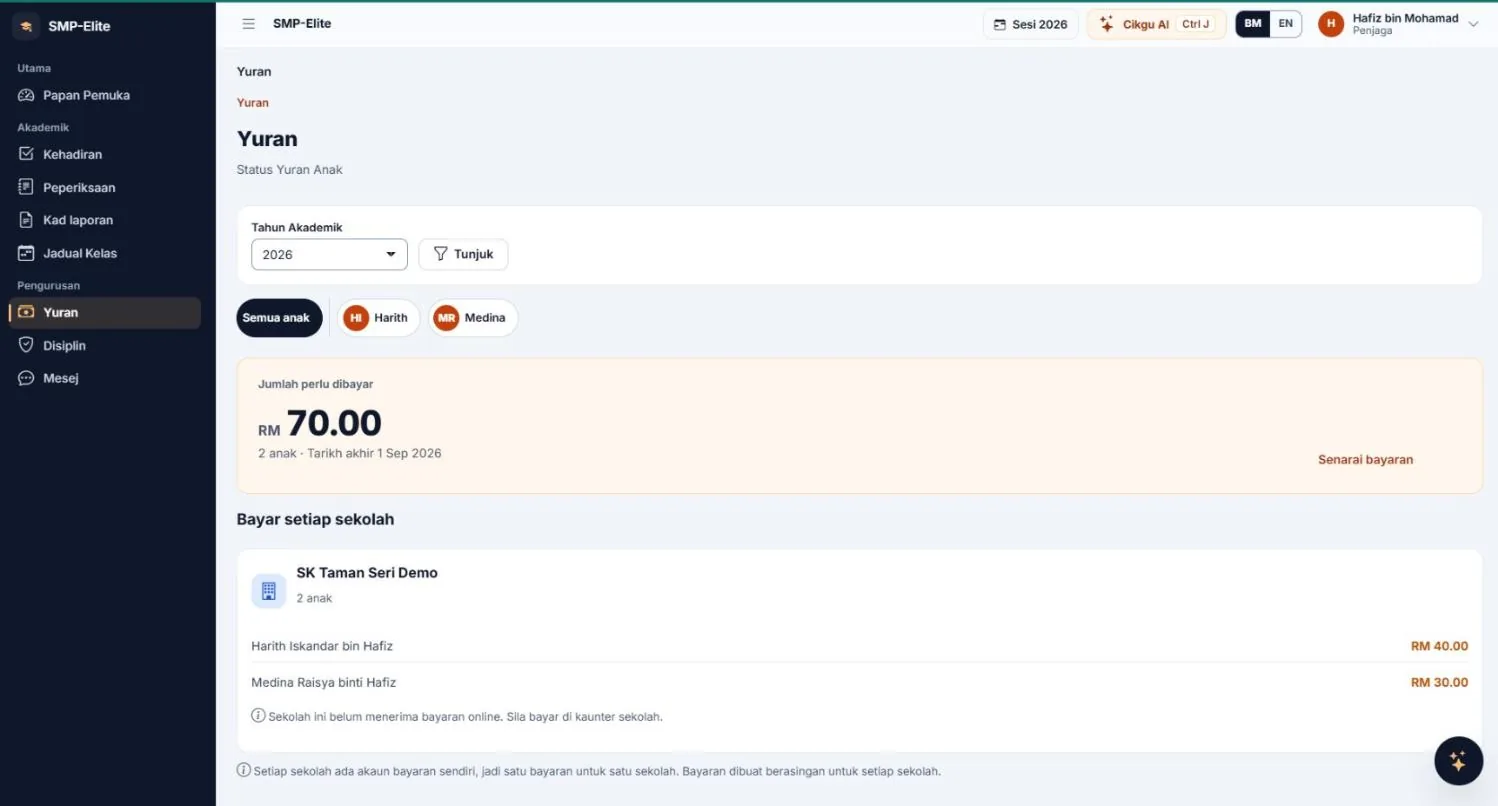
5 / 6 · Fees
Parents see what's paid and what's outstanding for each child, then tap Pay Online.
6 / 6 · Parent portal
Parents log in with their IC number and see each child's marks, grades and ranking — with a PDF slip.
Payments & Fees
Counter payments, official receipts, online payment by parents, exemptions, a chase list and reports — all set up the way your school works.
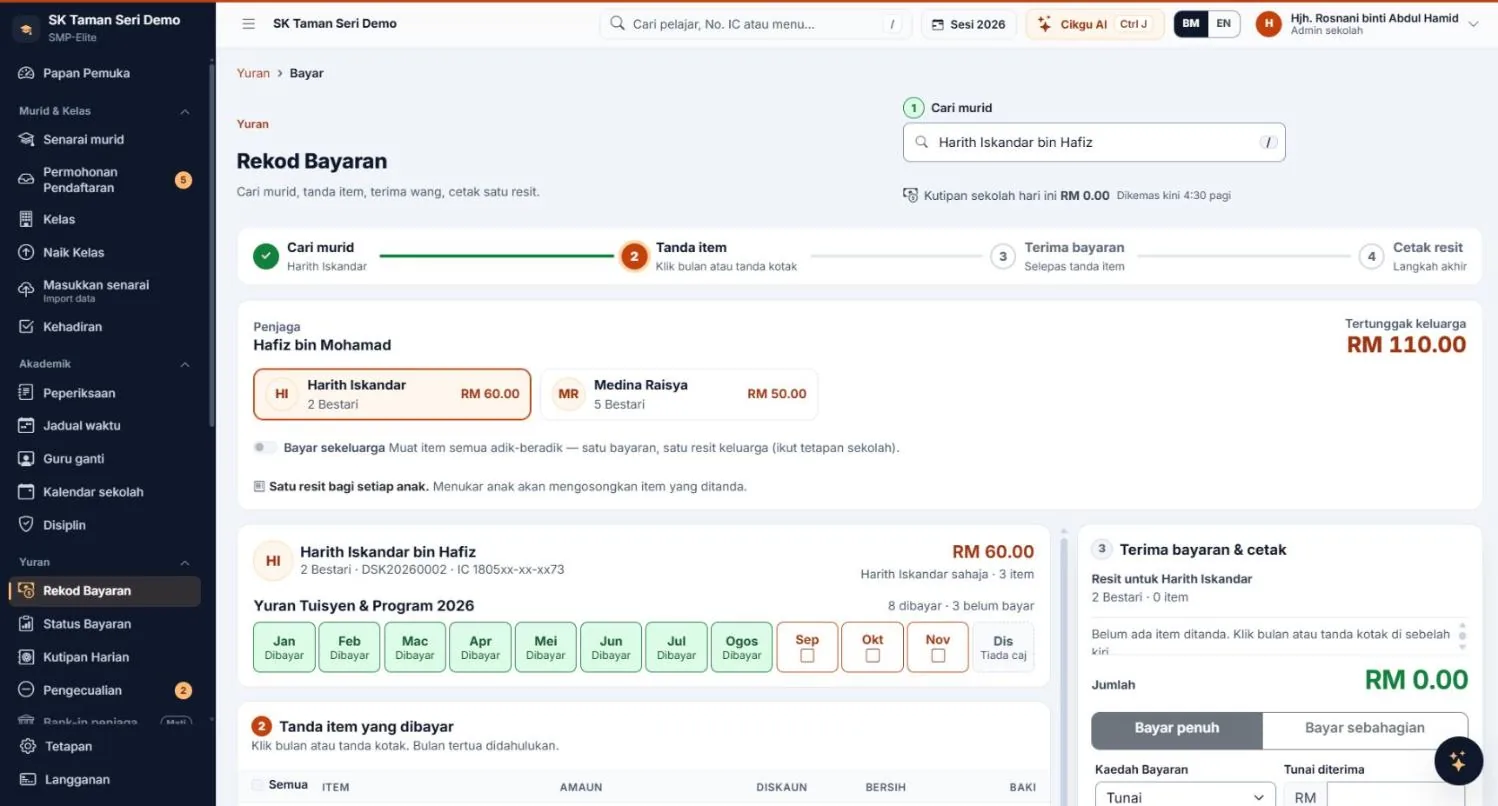
Choose a bank account for each fee: PIBG fees go to the PIBG account, other fees to the school's finance account. Daily collections, printouts, online payments and reports are split by account.
Changing a fee's account requires the administrator's password, and every change is logged.
FPX and cards through ToyyibPay; FPX, cards, DuitNow QR and e-wallets through CHIP — using the school's own merchant account, not through MJ Solutions. Online payments are recorded and receipts issued automatically.



Screenshots from a demo account. Tap to enlarge.
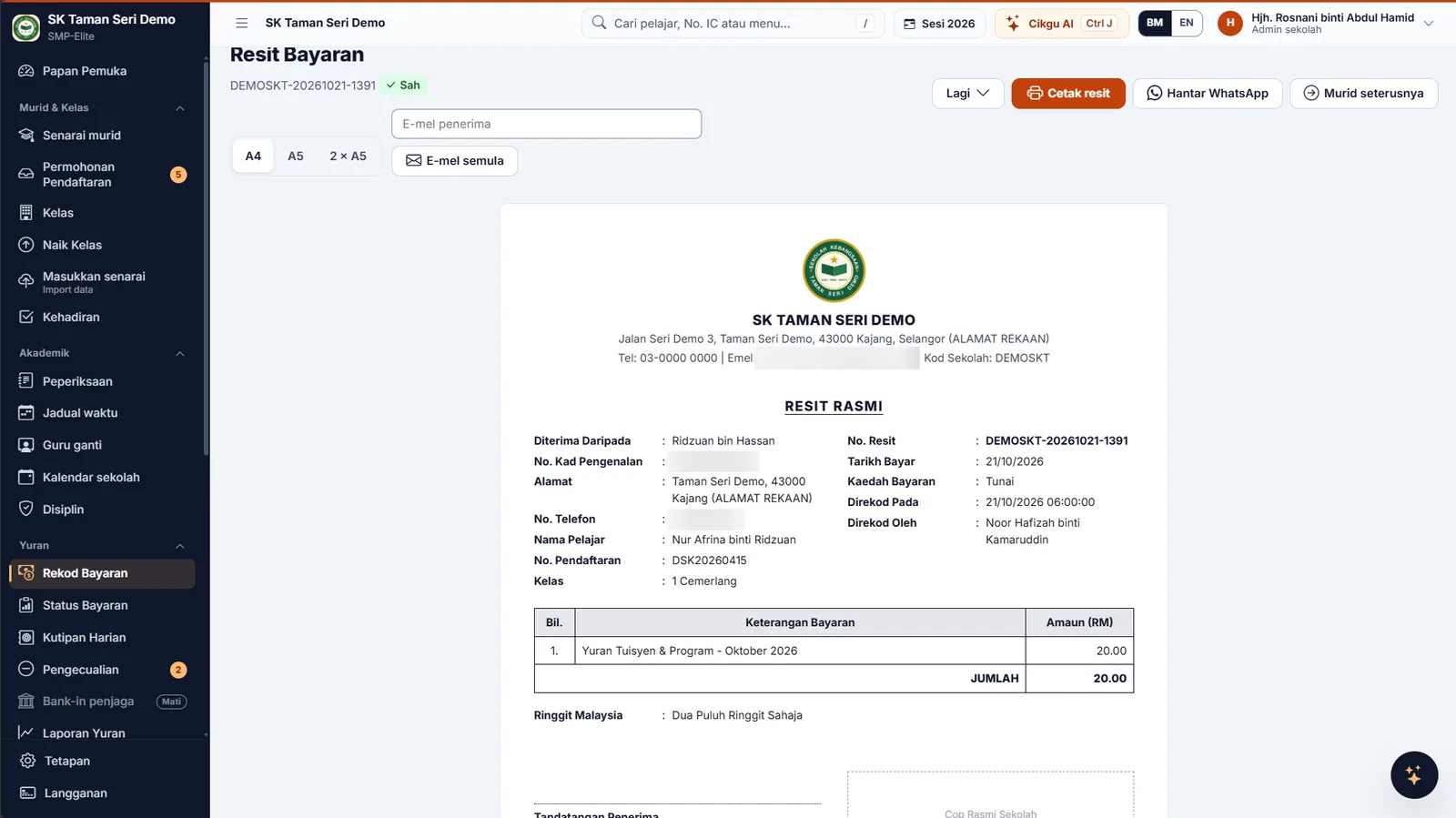
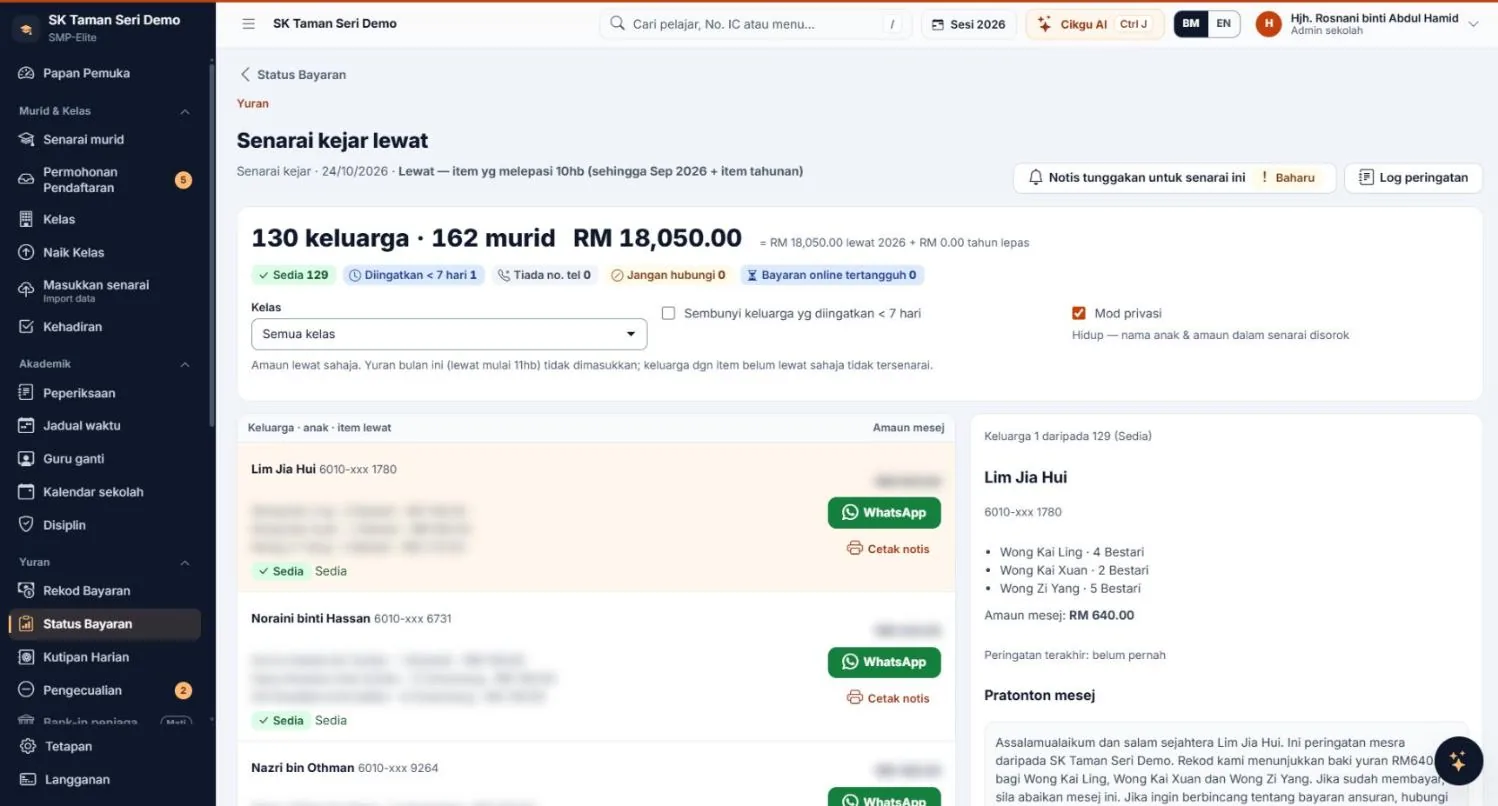
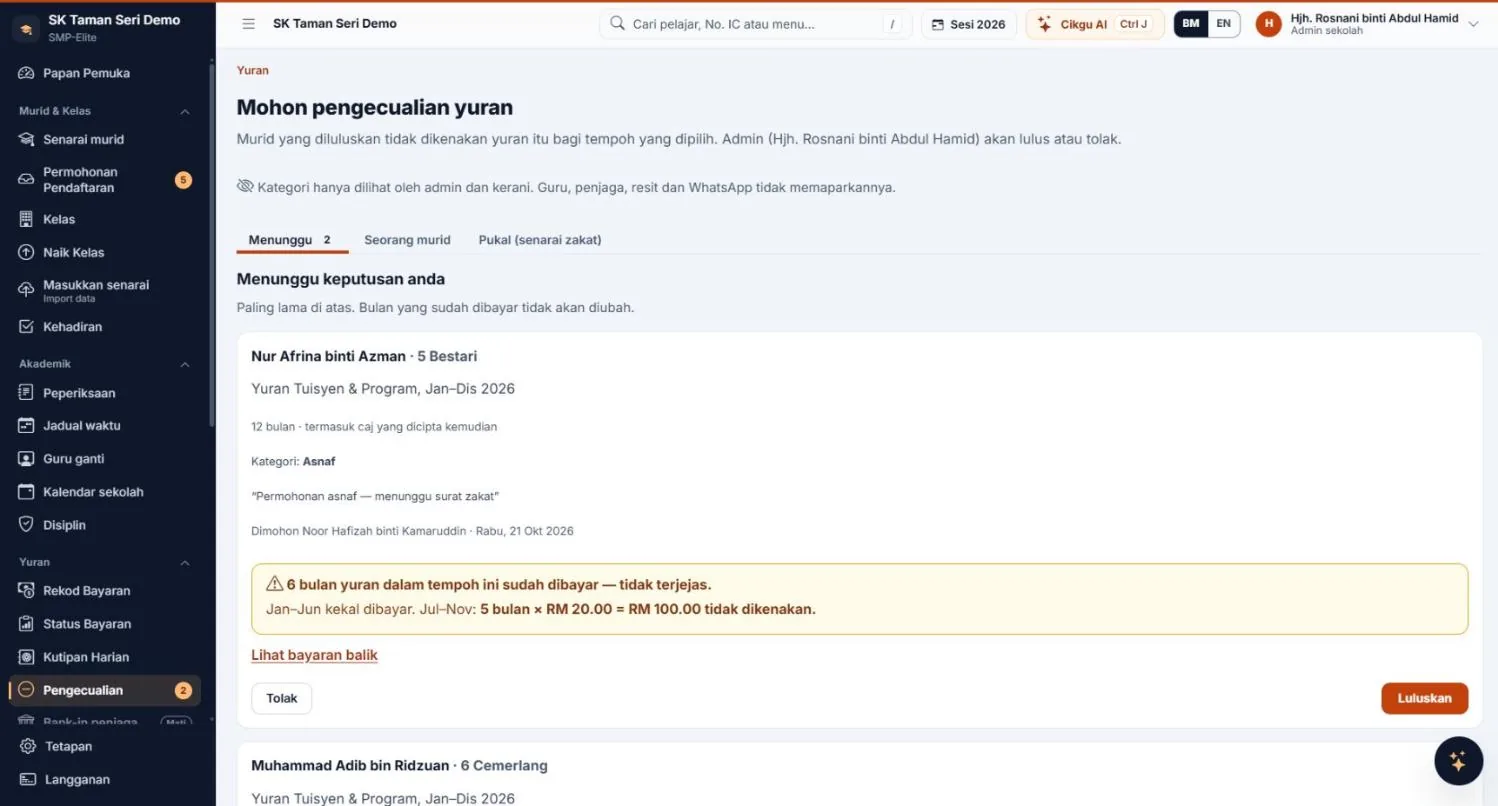
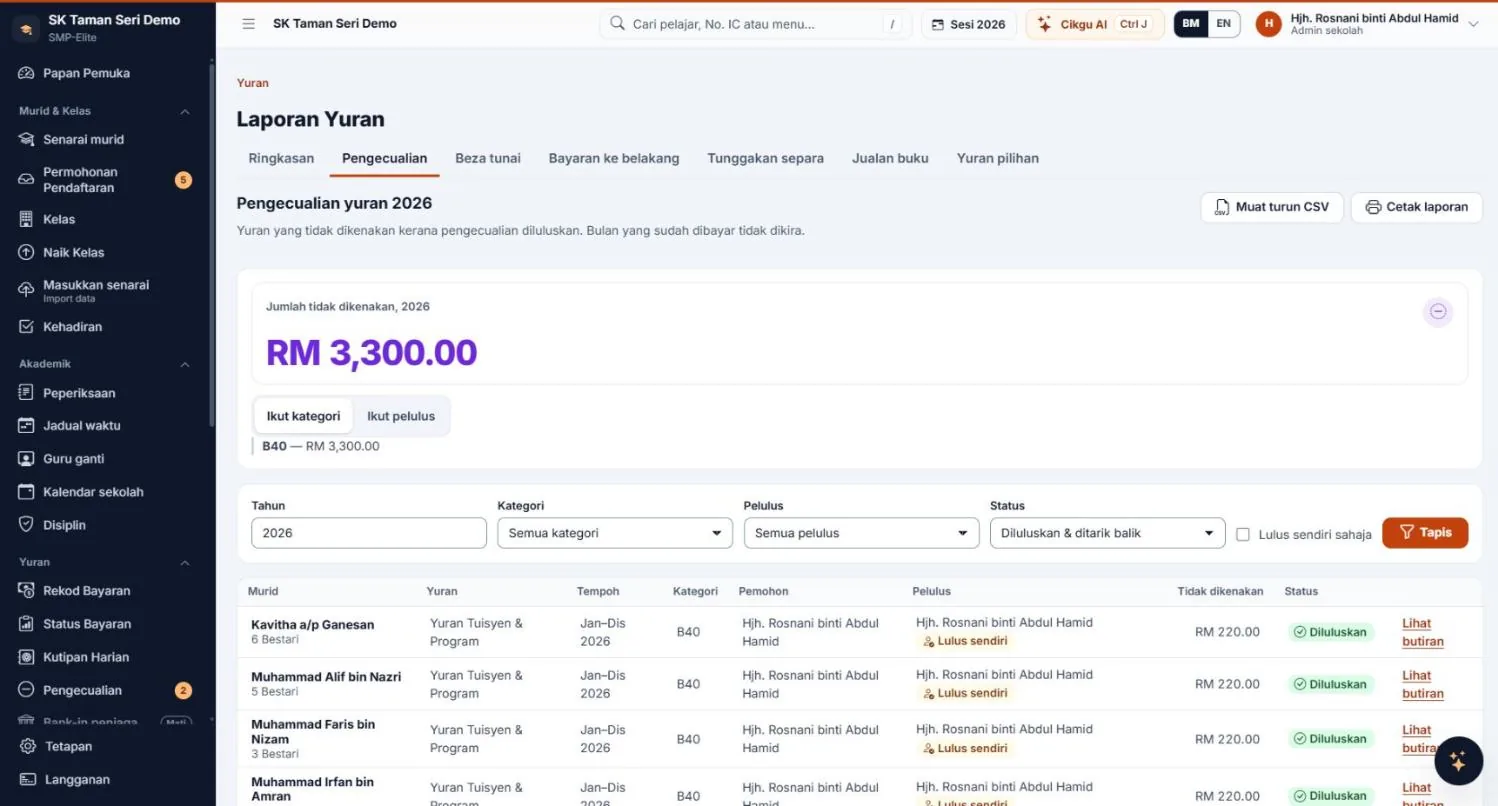
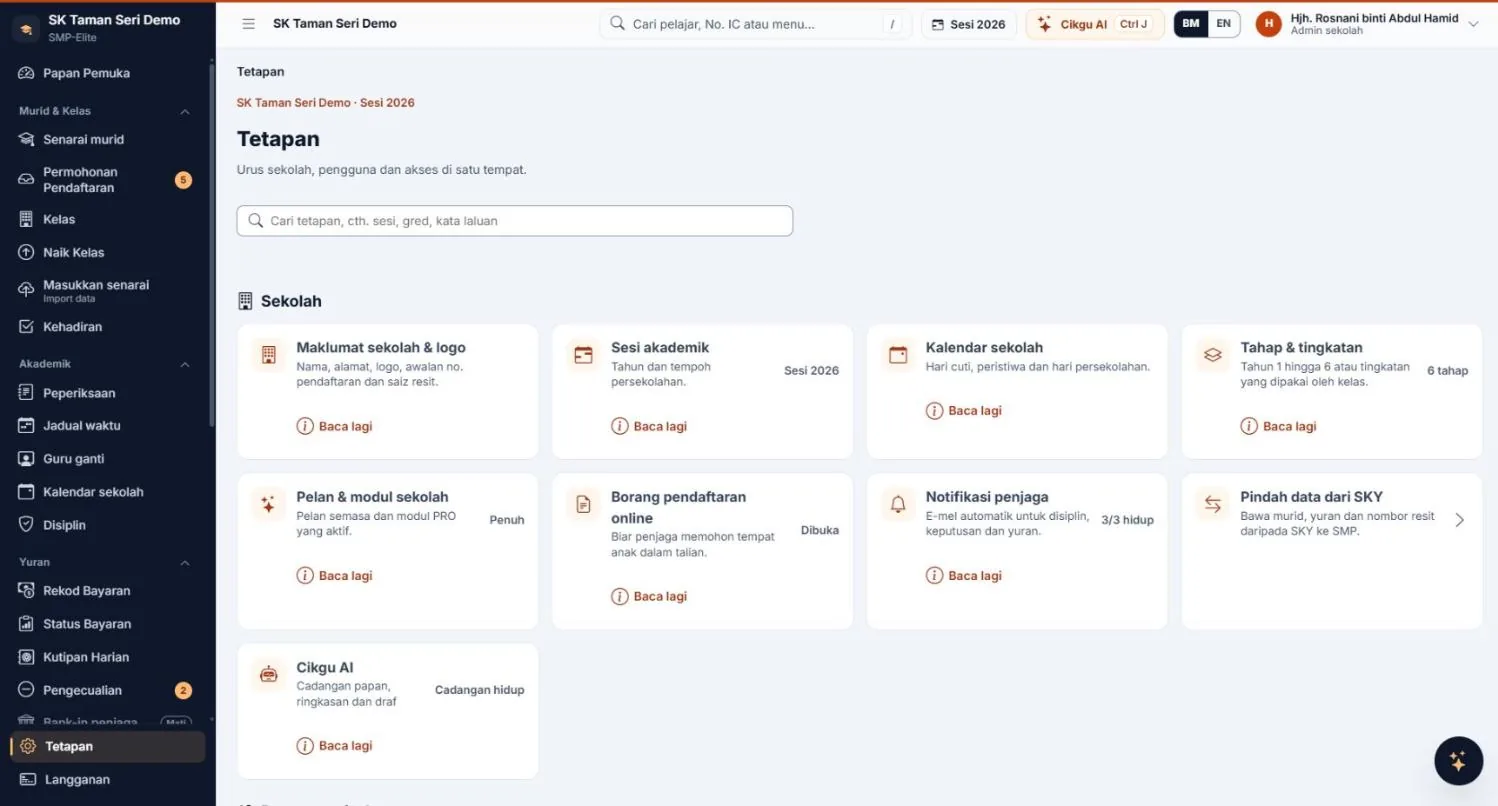
Receipt type, bank accounts, numbering, days overdue, collection hand-over mode and message templates — all adjustable by the administrator.
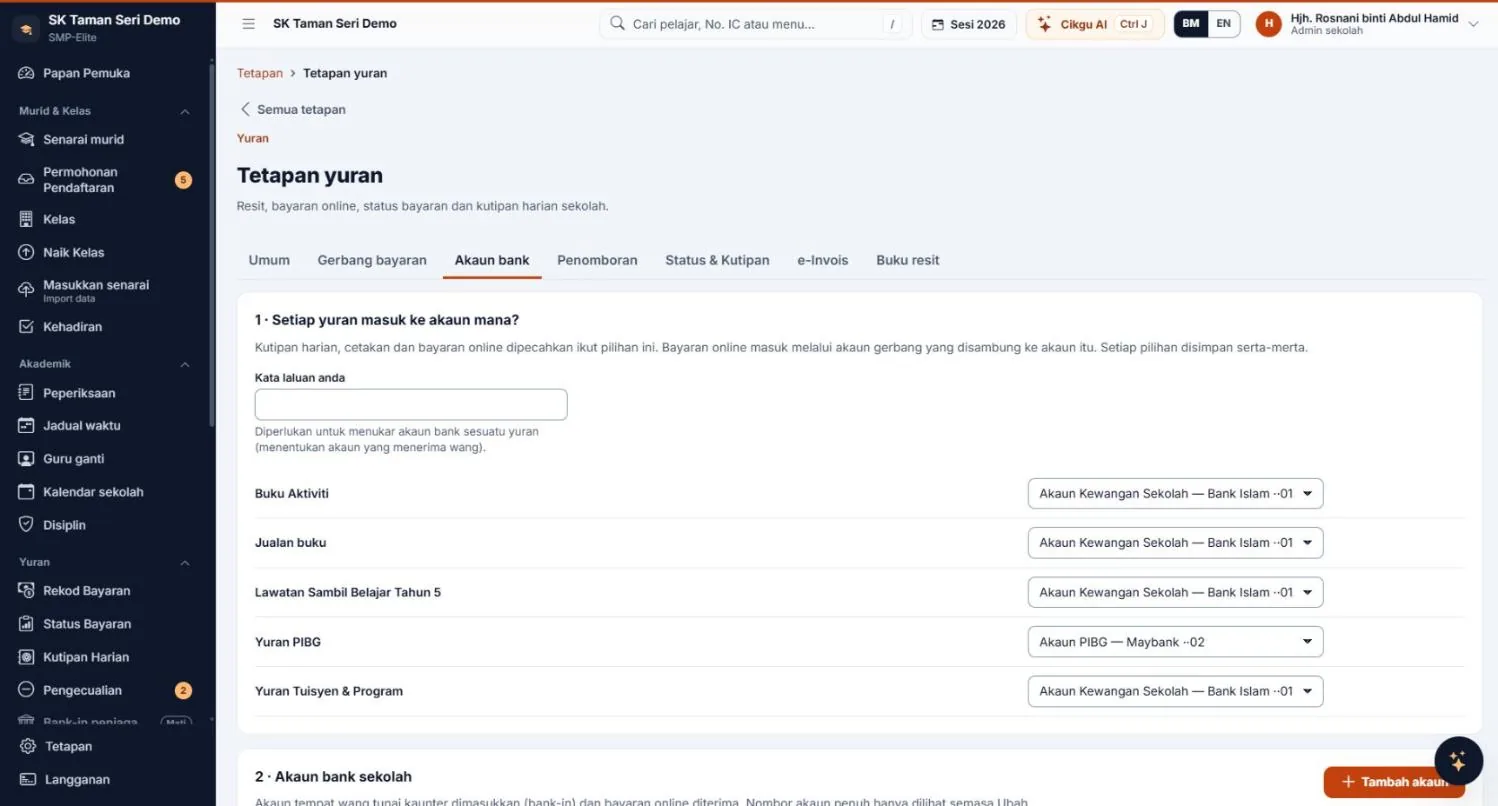
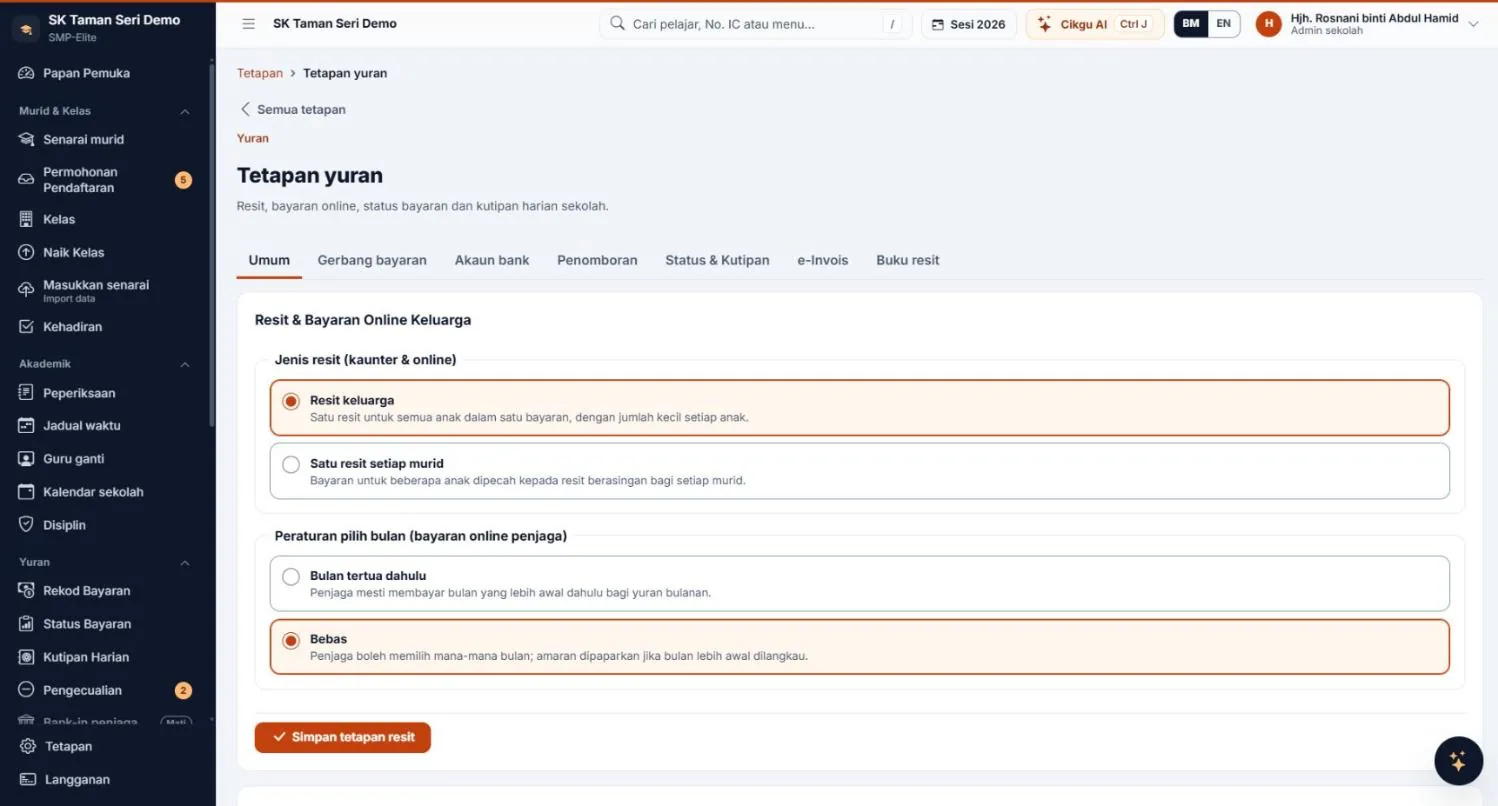
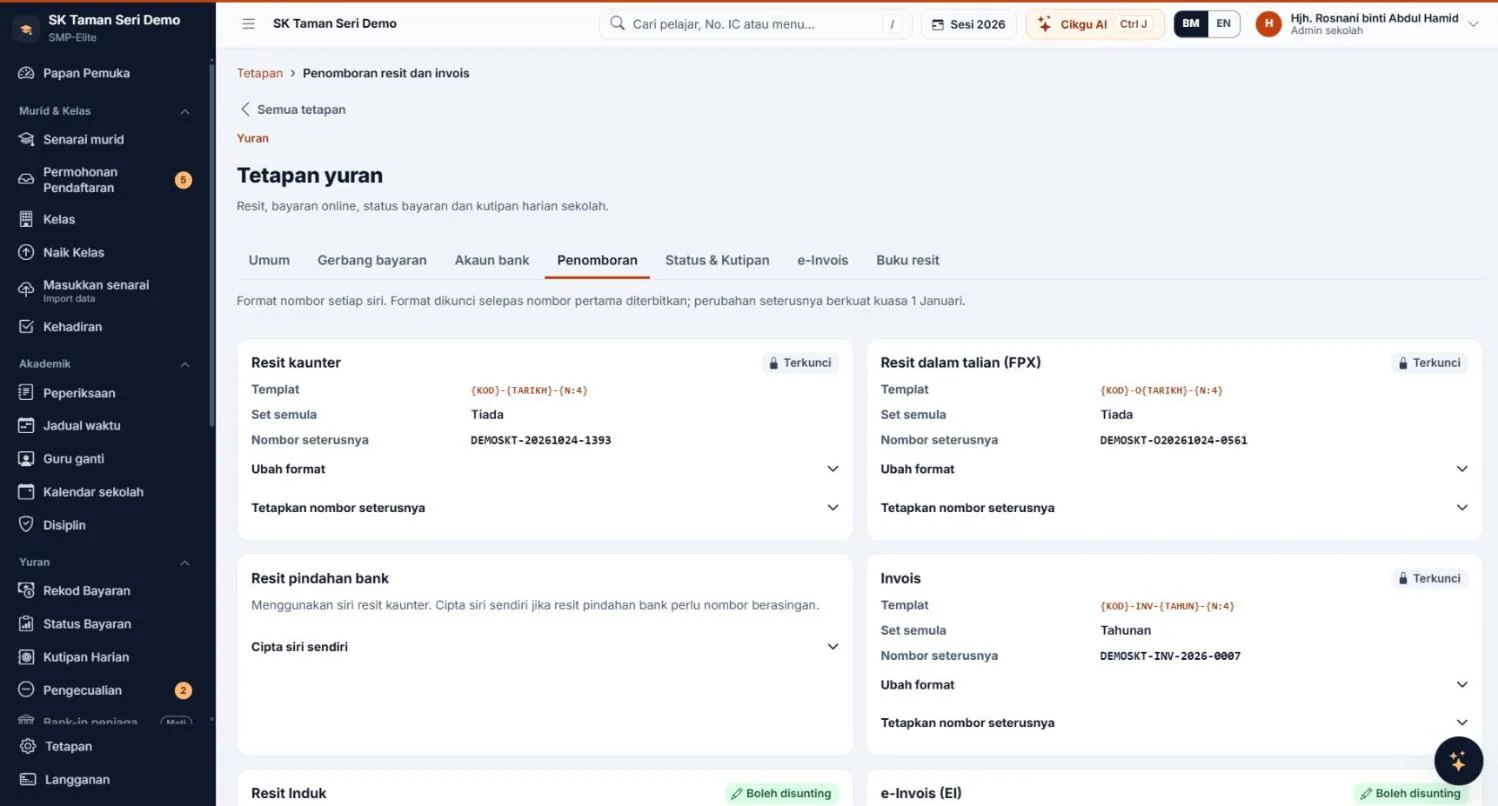
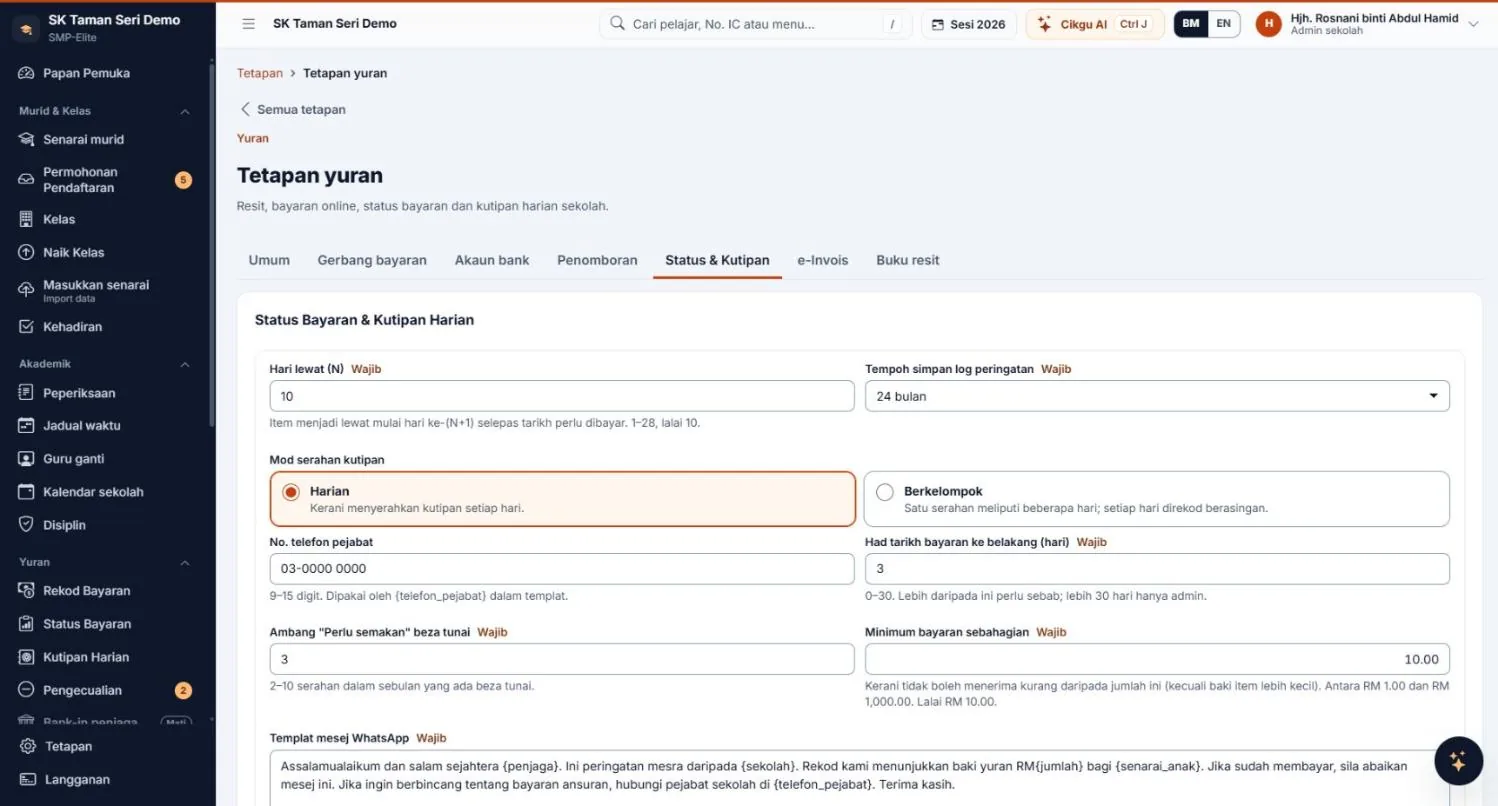
Online payment methods and transaction fees depend on the gateway and the school's agreement with the provider. Parents pay online in full; part payments are taken at the counter. All screenshots show sample data (simulated).
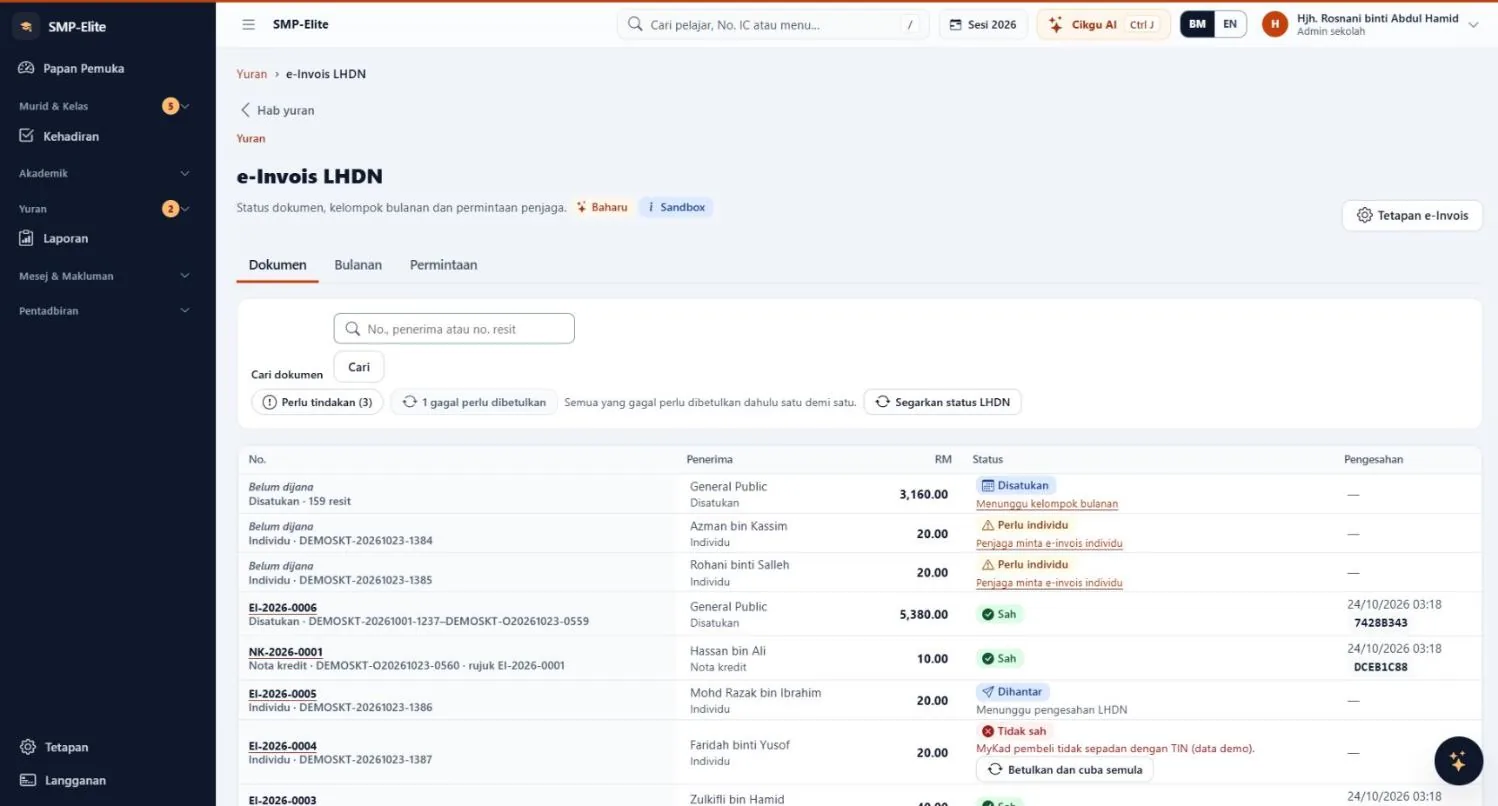
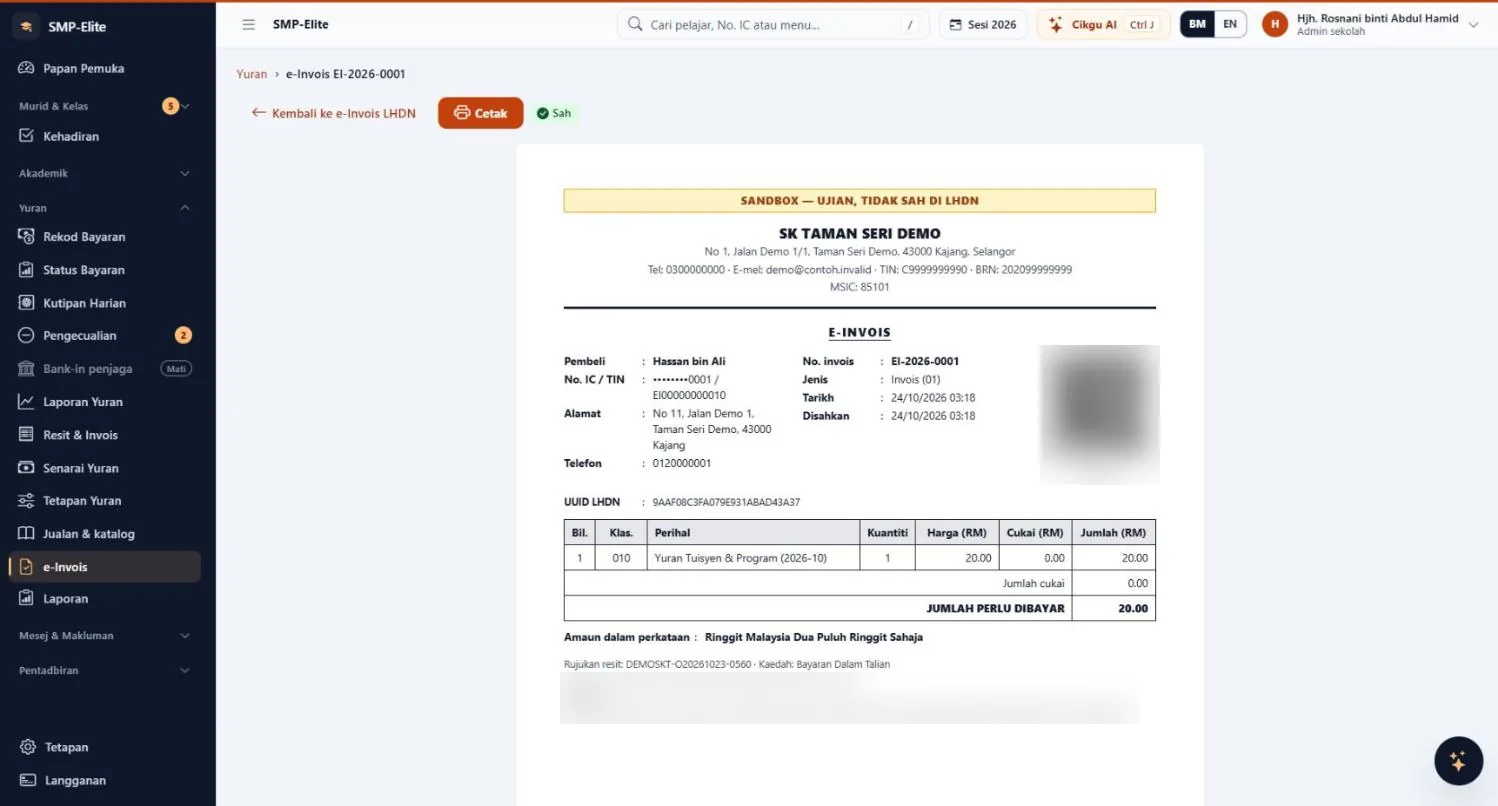
LHDN e-Invoice · add-on module
e-Invoice · MyInvois format
Generate MyInvois-format e-Invoices straight from fee receipts, without retyping anything in another portal. Schools don't need to manage their own digital certificate — MJ Solutions acts as the intermediary.
Add-on module RM40 a month; requires the Payments & Fees module; not included in the Full plan or the trial. Whether you need e-Invoicing depends on the institution's annual revenue (the exemption is currently below RM3 million; school fees are covered) — please confirm with LHDN or your tax adviser.
Cikgu AI
Cikgu AI guides you step by step, in everyday language. It's there for every role — and each person only sees the data they're allowed to.
Student data stays inside SMP-Elite. Cikgu AI runs on our own servers in Malaysia — no third-party AI provider. Built to comply with PDPA 2010.
Eight questions, one per role — scroll down to read each answer.
FAQ 1 of 8
Summarise today.
Today's summary:
Source: School · updated 03:00
List the classes that haven't recorded it.
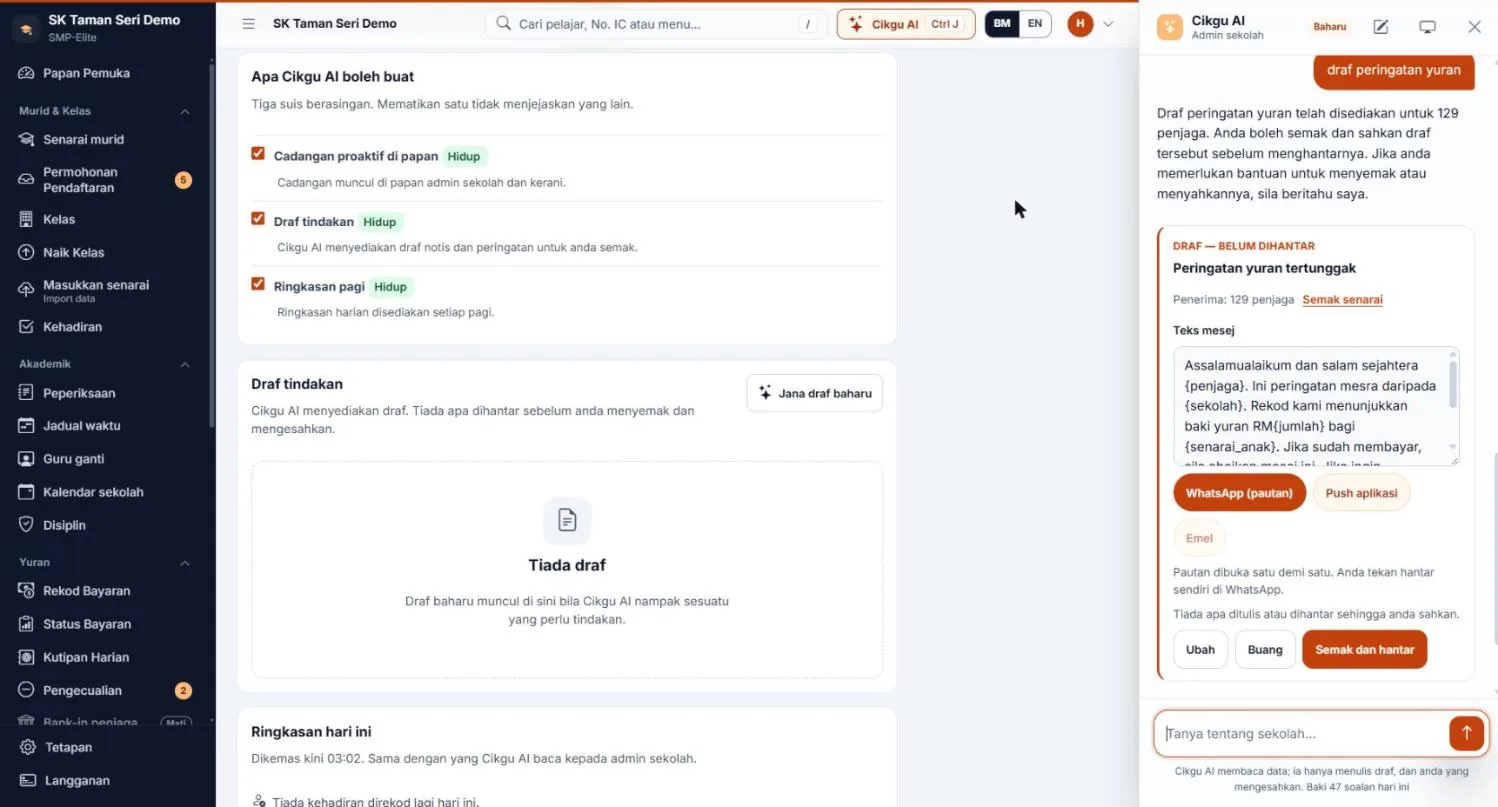
Draft a fee reminder.
A fee reminder has been drafted for 129 parents. Review and confirm before sending.
Draft — not sent
Outstanding fee reminder · 129 parents
“Dear {parent}, a friendly reminder from {school}. Our records show an outstanding fee balance of RM{amount} for {children}…”
Nothing is written or sent until you confirm.
Check the recipient list.
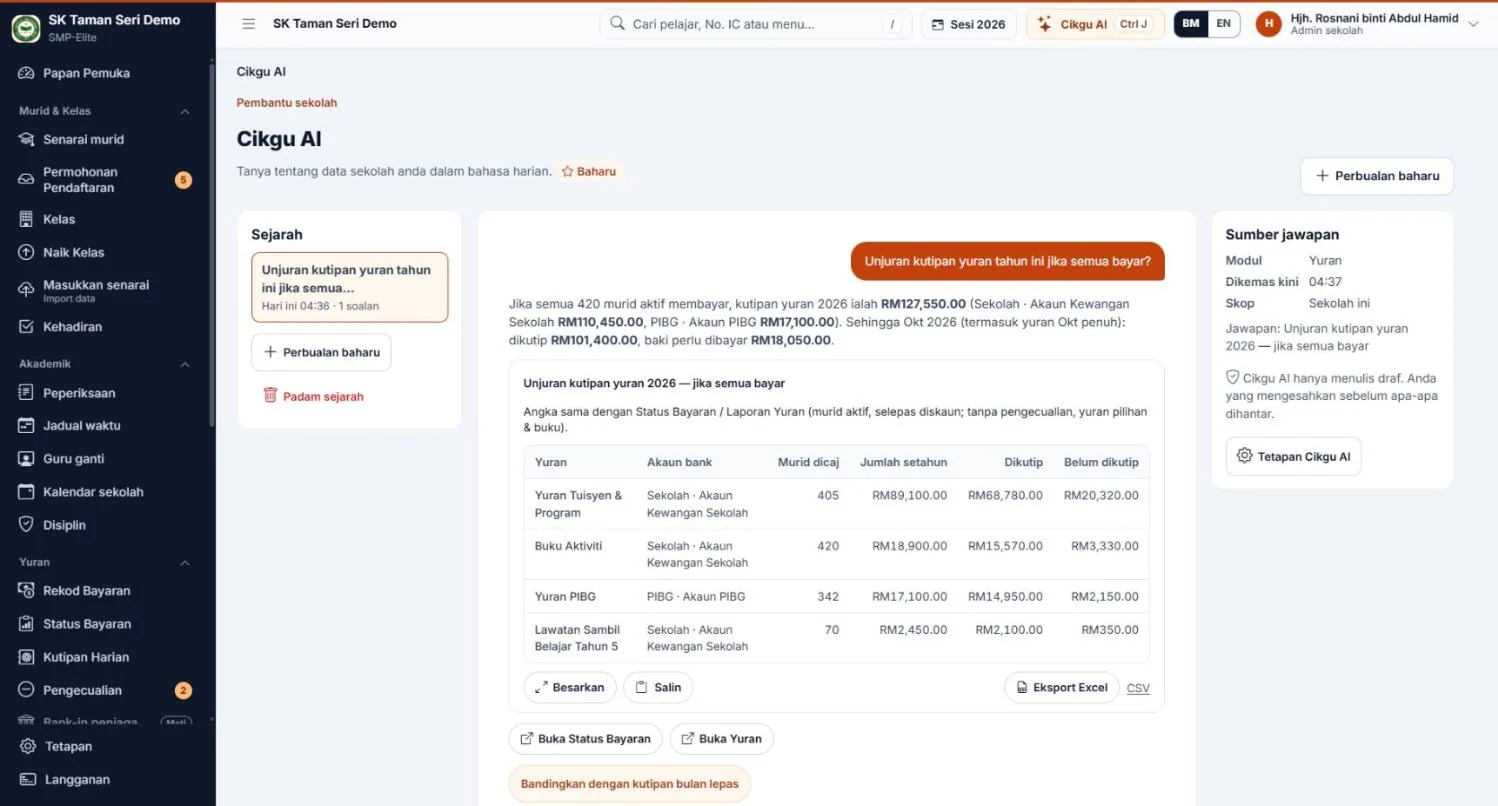
Projected fee collection this year if everyone pays?
| Fees | Per year | Collected | Balance |
|---|---|---|---|
| Tuition & Programme | RM89,100 | RM68,780 | RM20,320 |
| Activity Books | RM18,900 | RM15,570 | RM3,330 |
| PIBG fees | RM17,100 | RM14,950 | RM2,150 |
Source: Fees
Export to Excel.
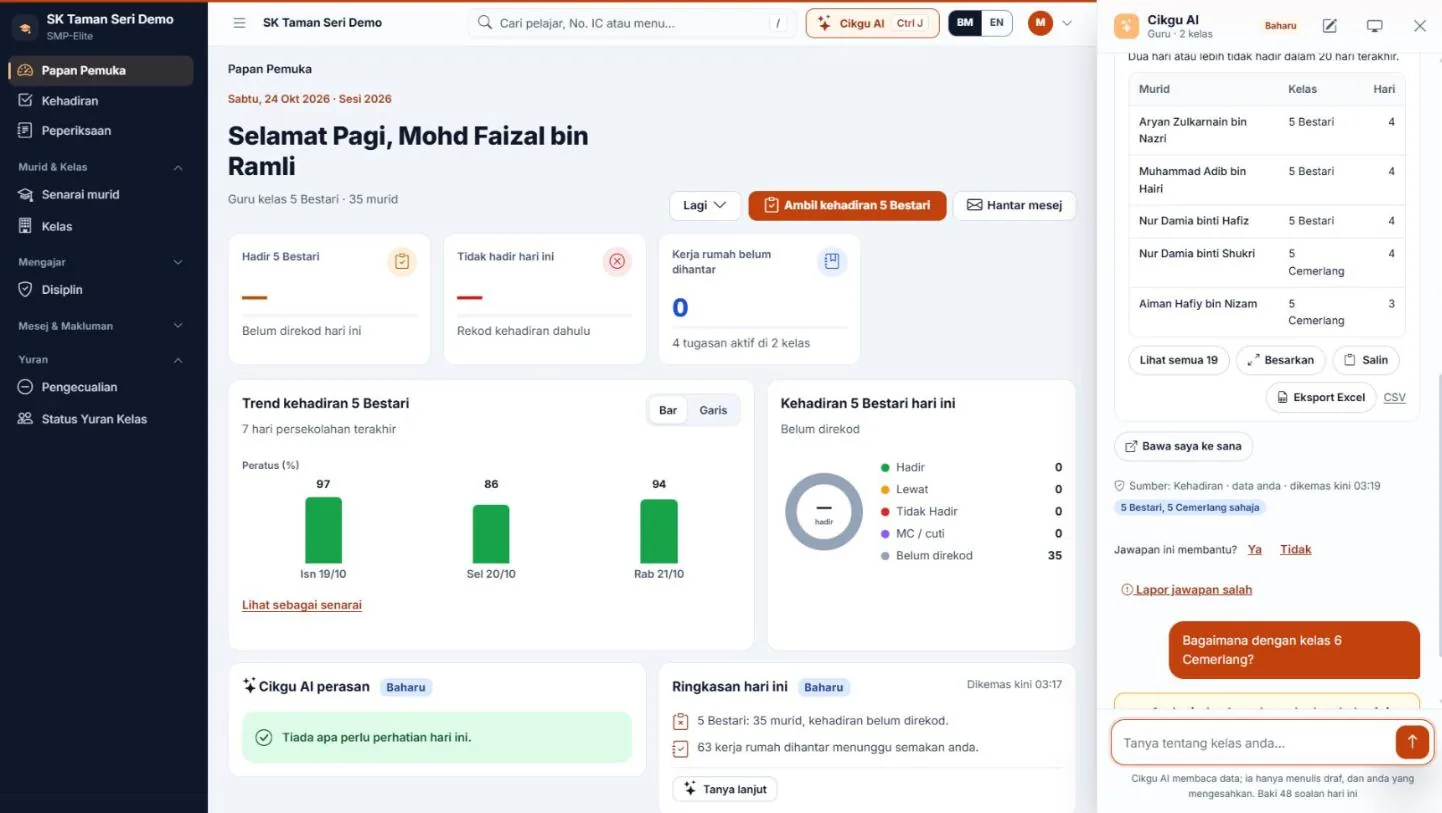
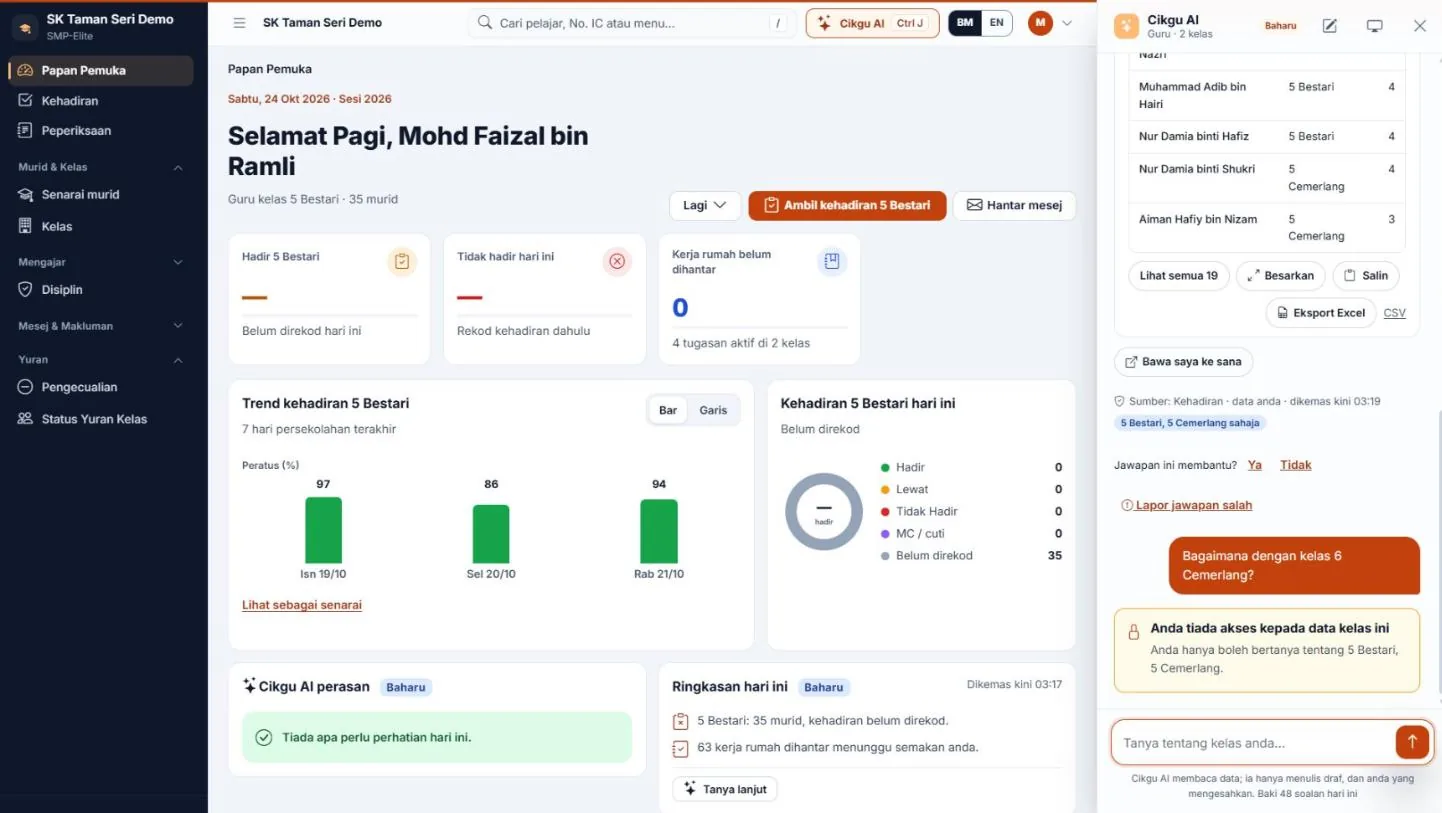
Which students in my class are often absent?
Absent two or more days in the last 20 days:
| Student | Class | Days |
|---|---|---|
| Aryan Zulkarnain | 5 Bestari | 4 |
| Muhammad Adib | 5 Bestari | 4 |
| Nur Damia binti Hafiz | 5 Bestari | 4 |
| Nur Damia binti Shukri | 5 Cemerlang | 4 |
5 Bestari, 5 Cemerlang only
What about class 6 Cemerlang?
You don't have access to this class's data. You can only ask about 5 Bestari, 5 Cemerlang.
Okay, thank you.
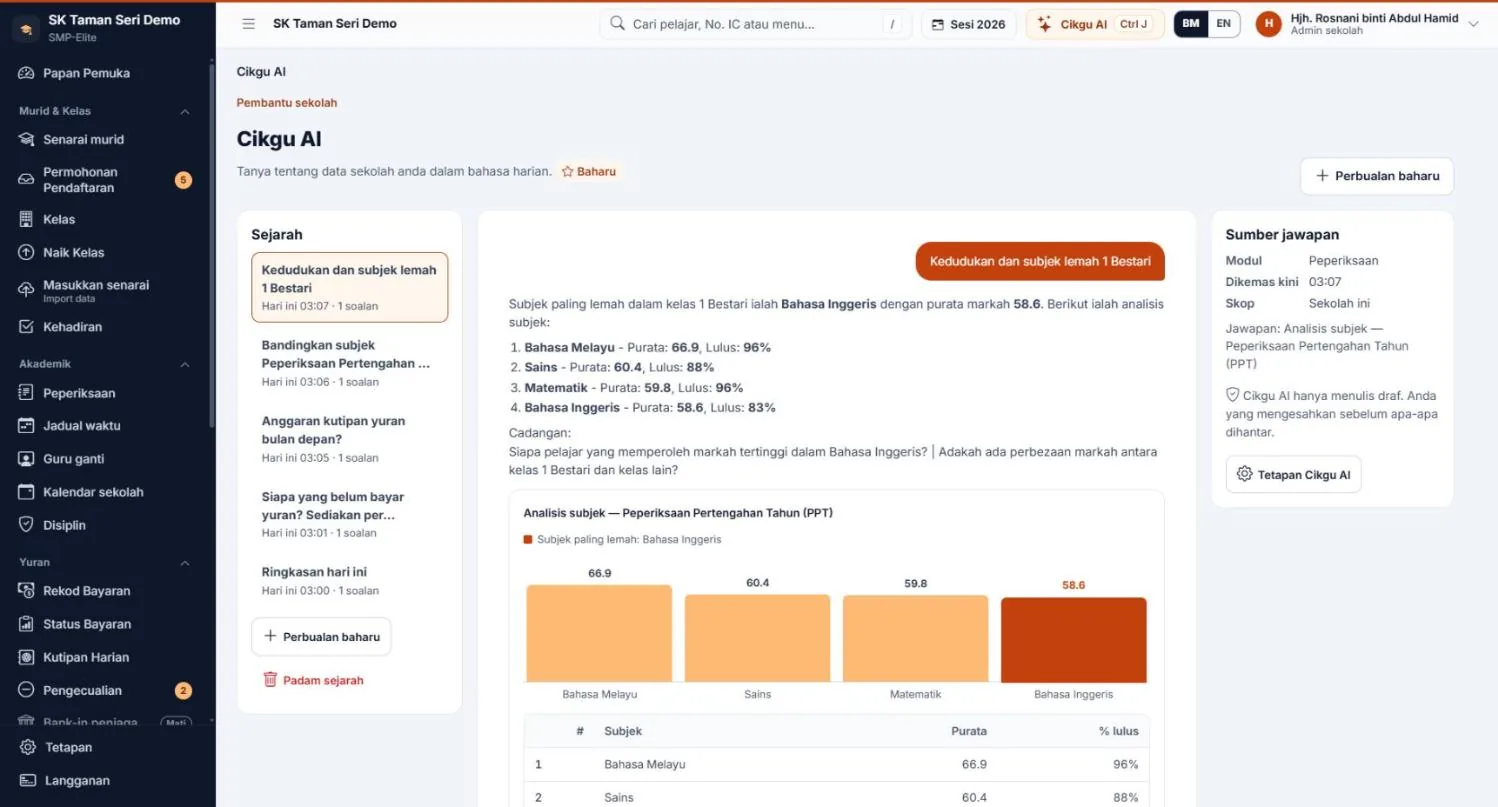
Rankings and weak subjects for 1 Bestari.
The weakest subject in 1 Bestari is English (average 58.6).
Source: Exams
Who scored highest in English?
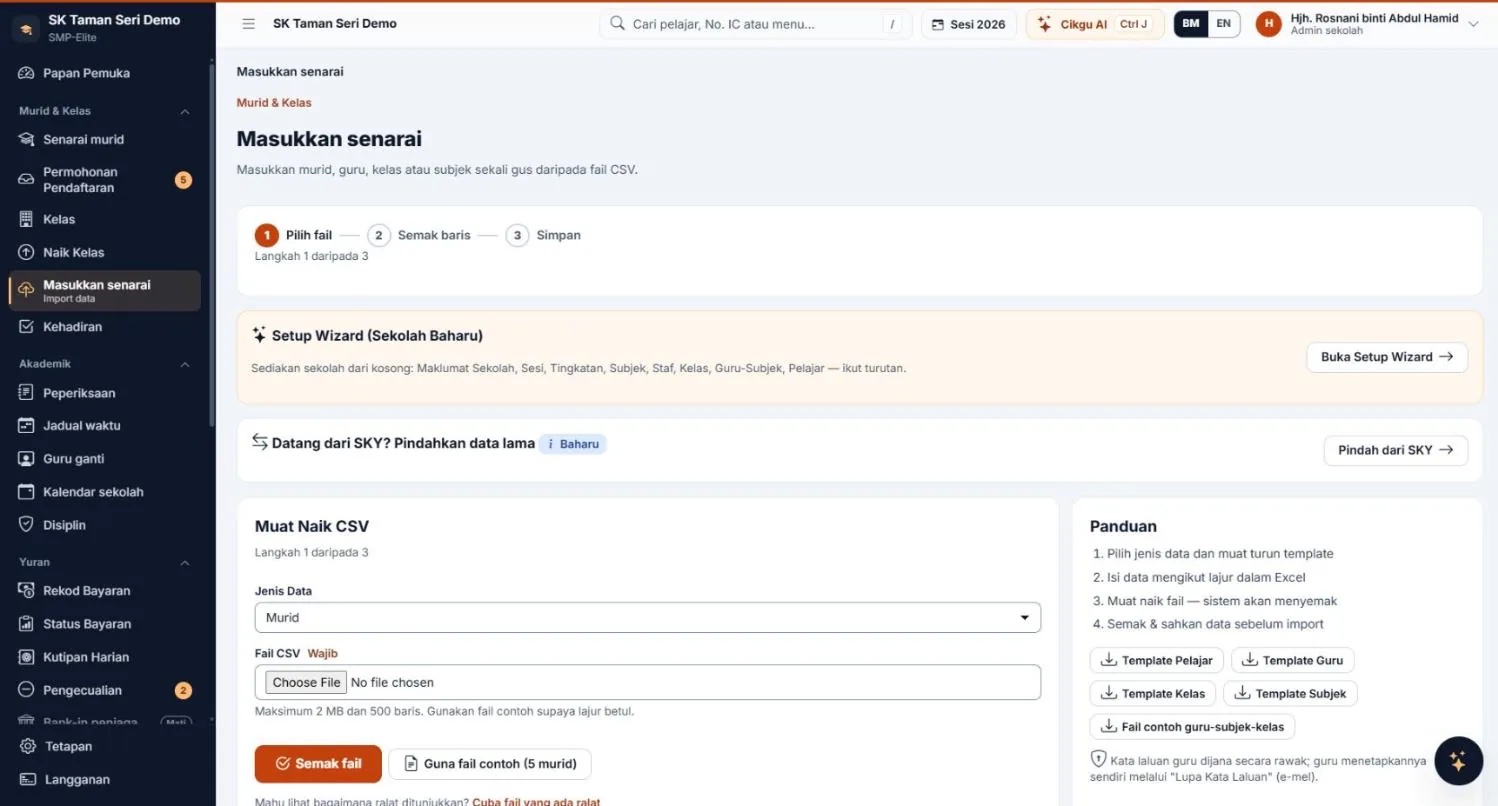
How do I import a student list from Excel?
Follow these steps:
Yes, take me there.
How are my children's attendance and discipline?
Both of your children's attendance was 100% in October. No discipline records.
Source: Attendance, Discipline · all your children
How did they do in their exams?
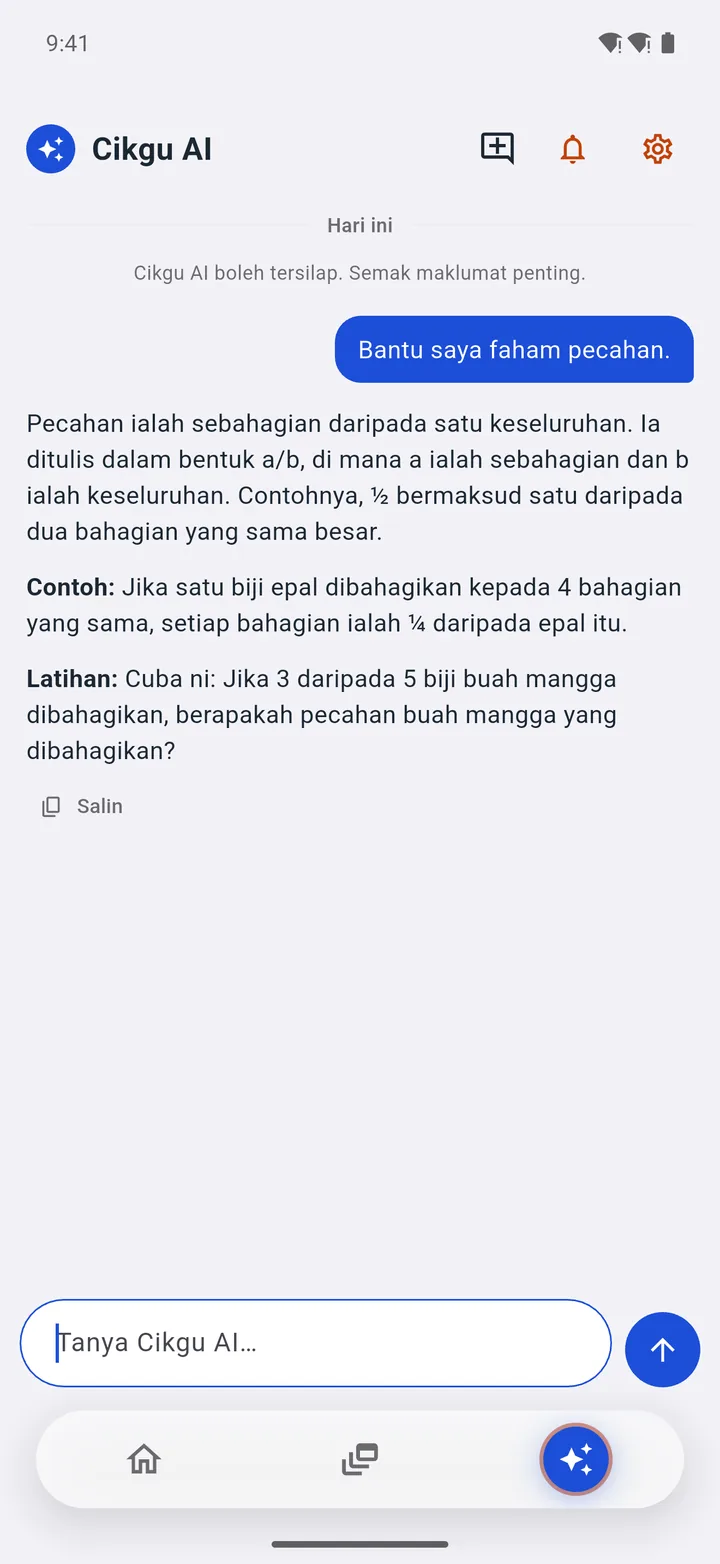
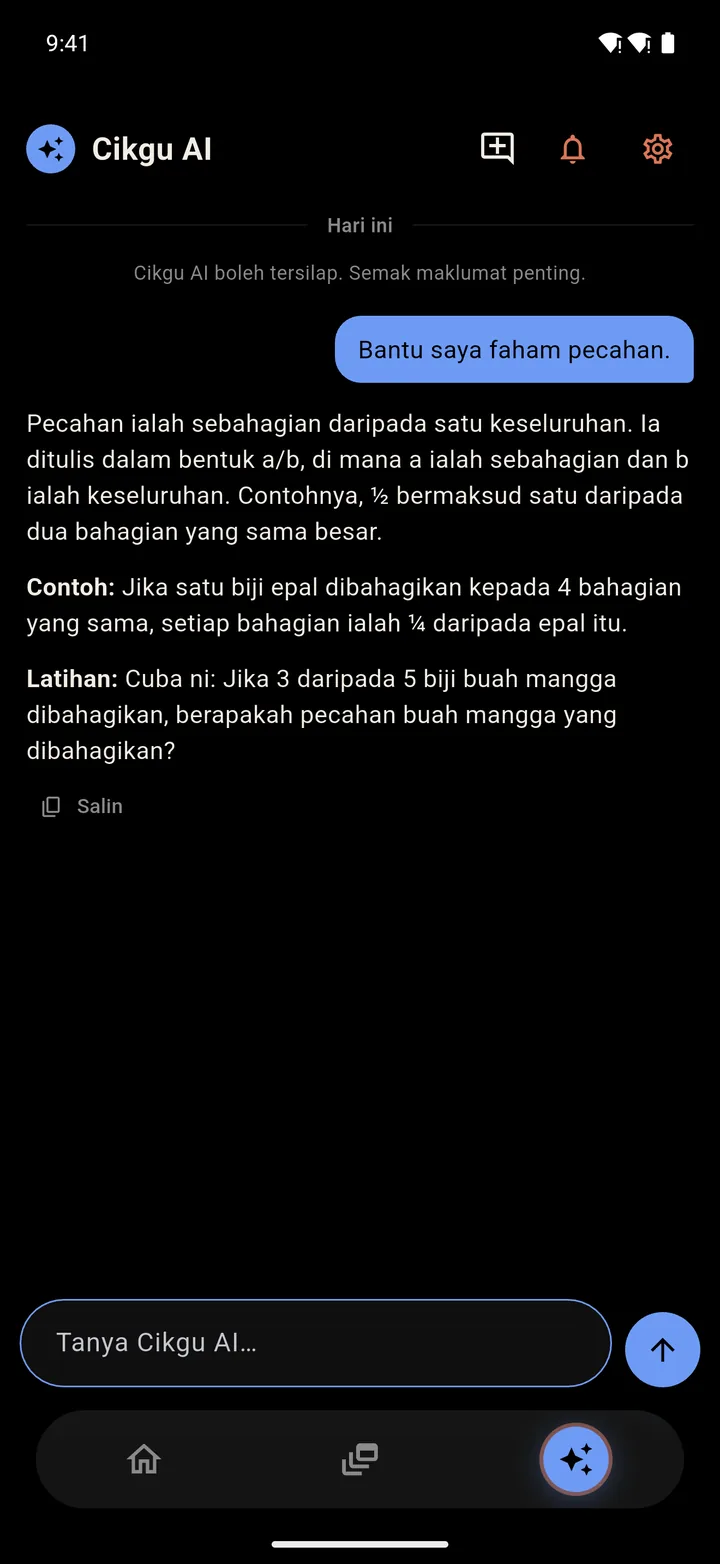
Help me understand fractions.
A fraction is part of a whole: the numerator on top, the denominator below.
Try this: Work out 2/5 + 1/10. What's the answer?
Is the answer 1/2?
The animation above is an example based on real answers from a demo account. Below: screenshots from a demo account, same questions (in Bahasa Melayu).
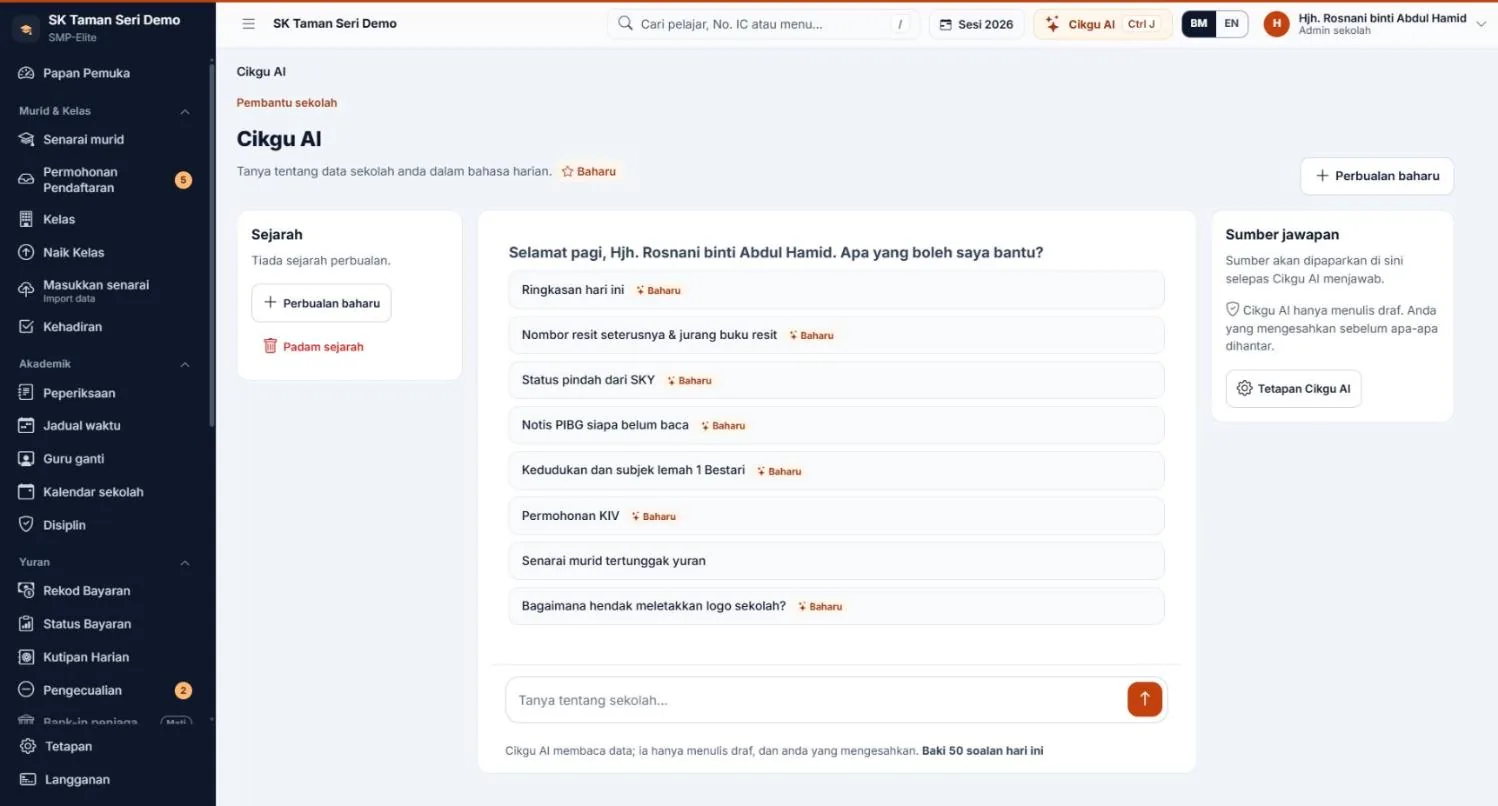
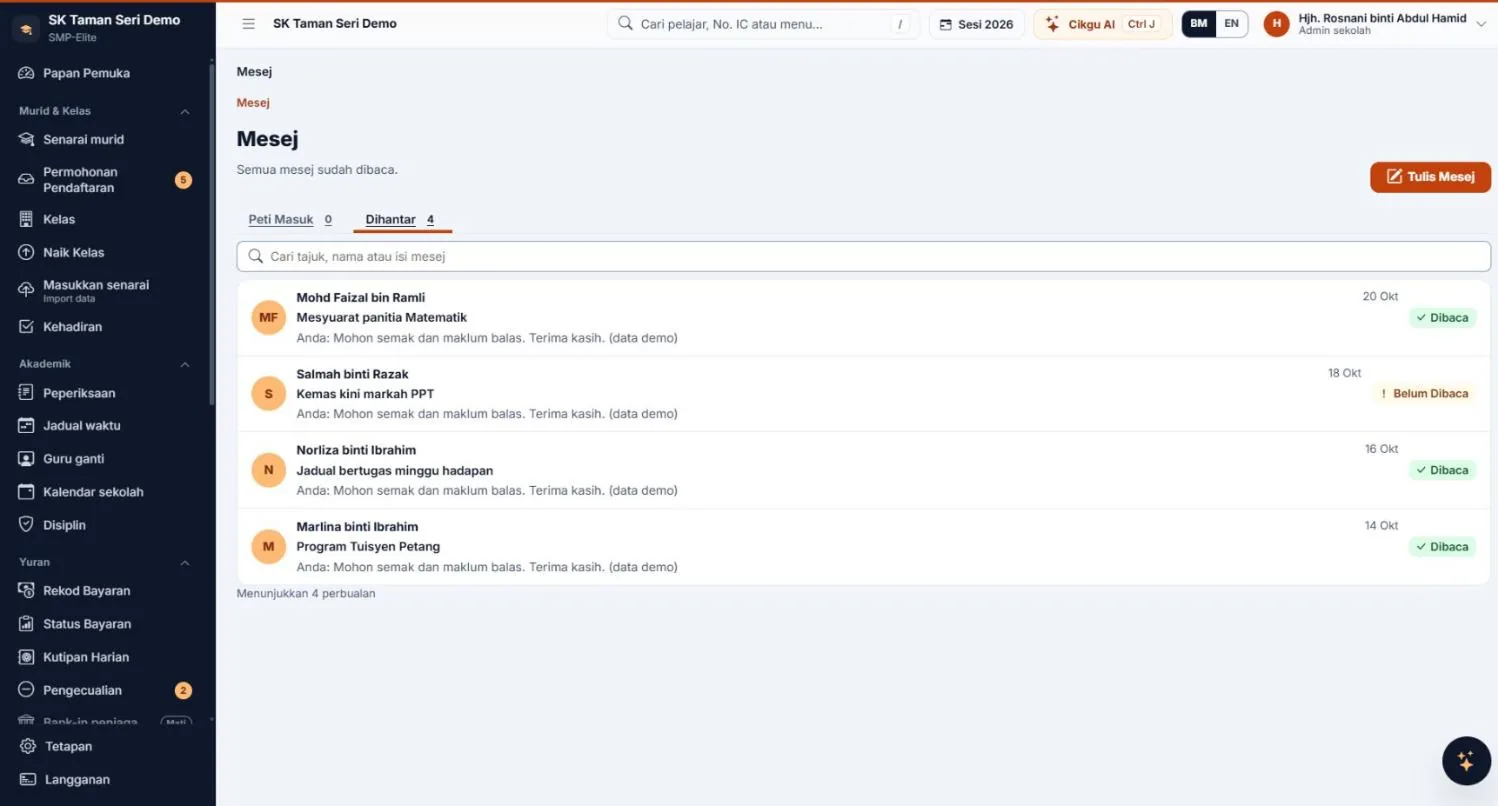
Screenshots from a demo account, latest version, in Bahasa Melayu. Tap to enlarge.
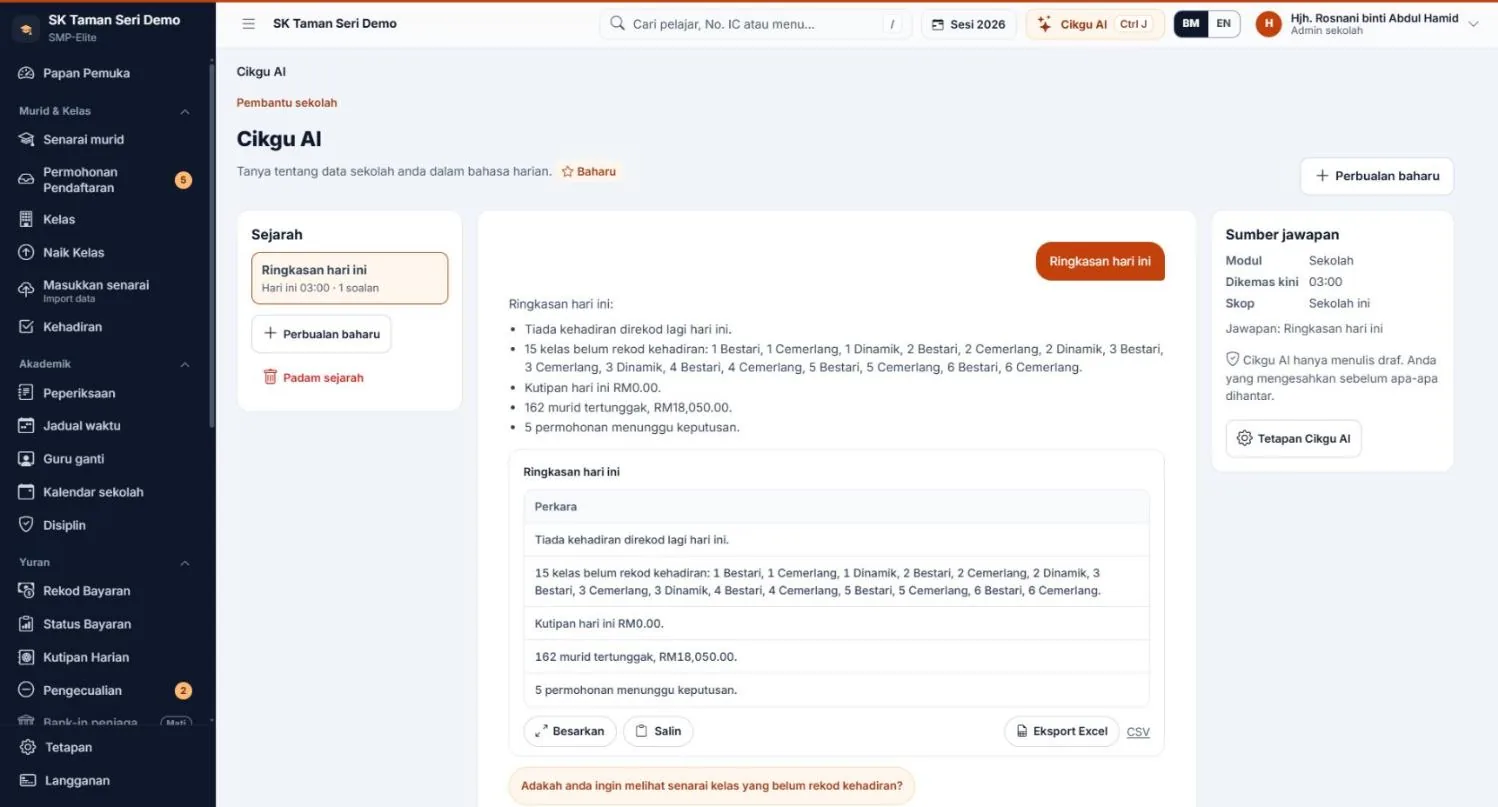
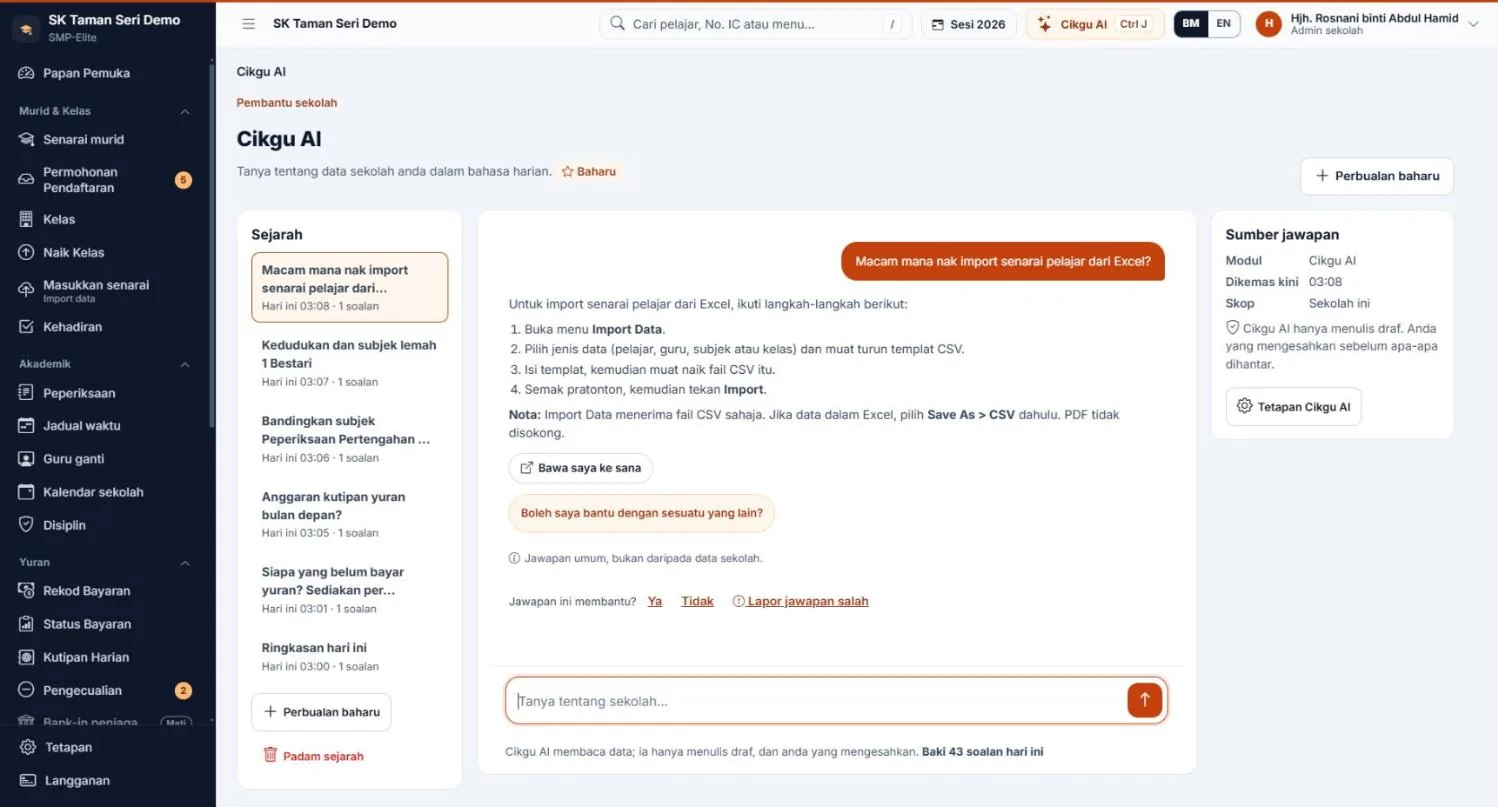
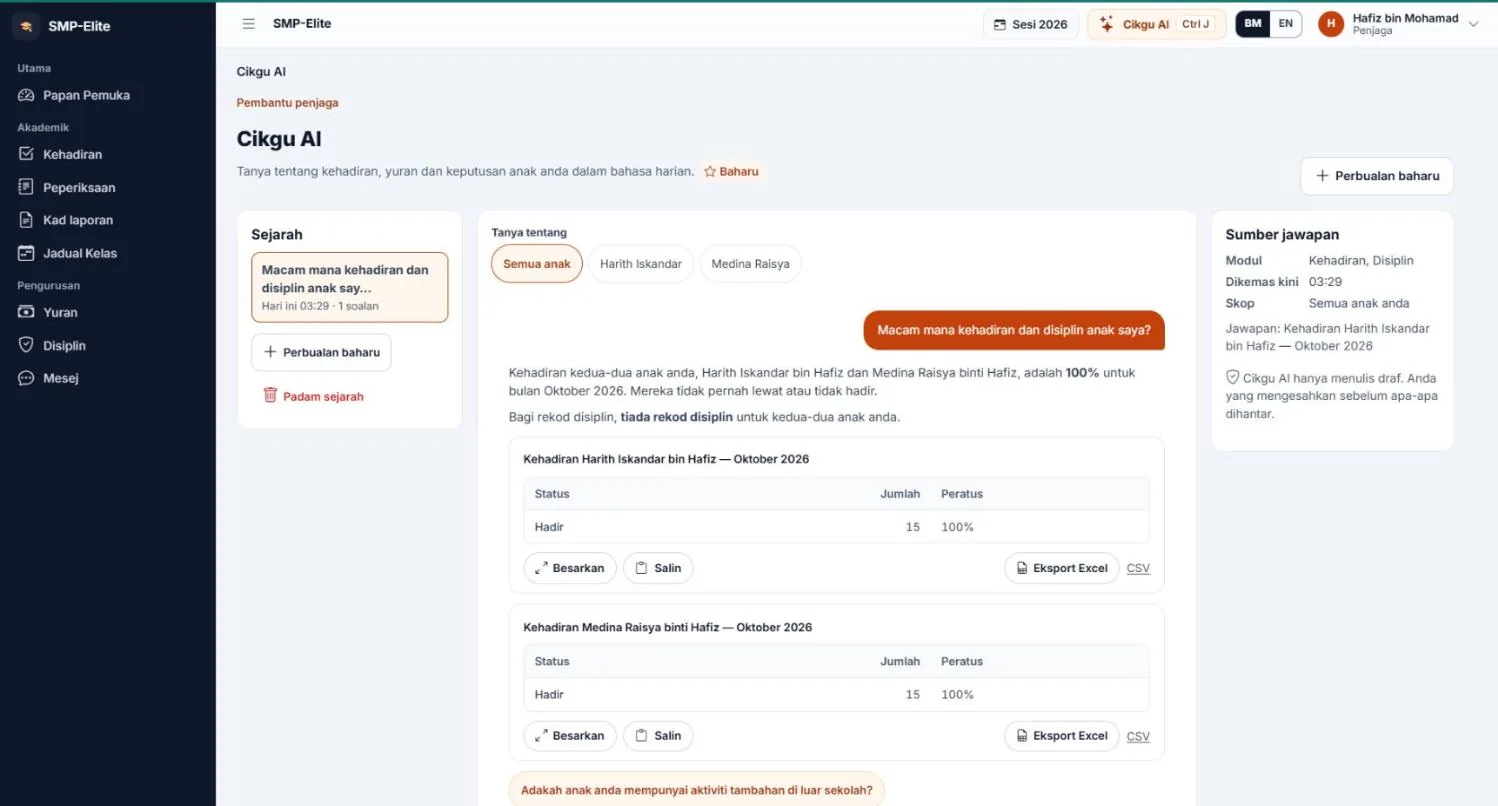
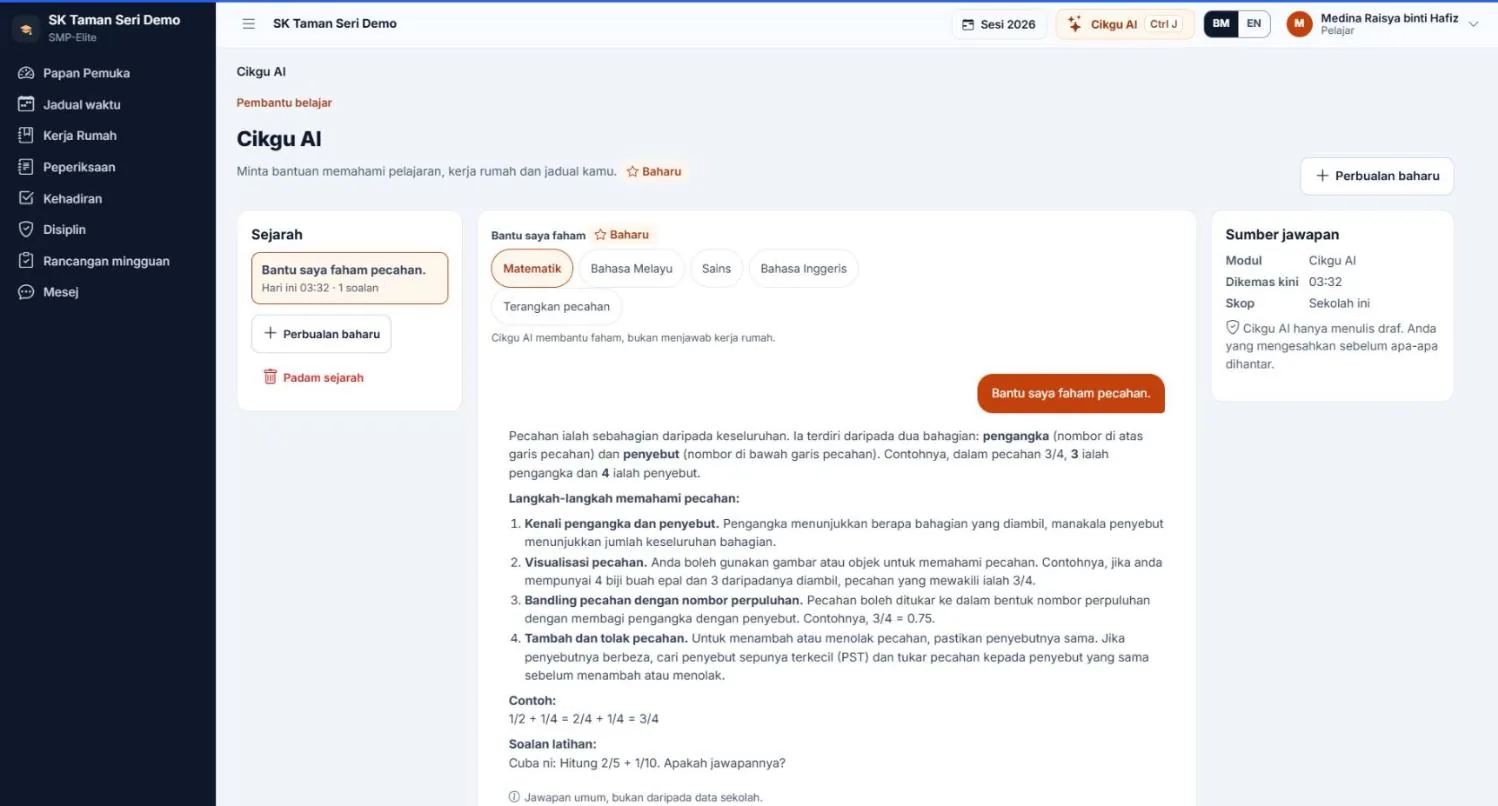
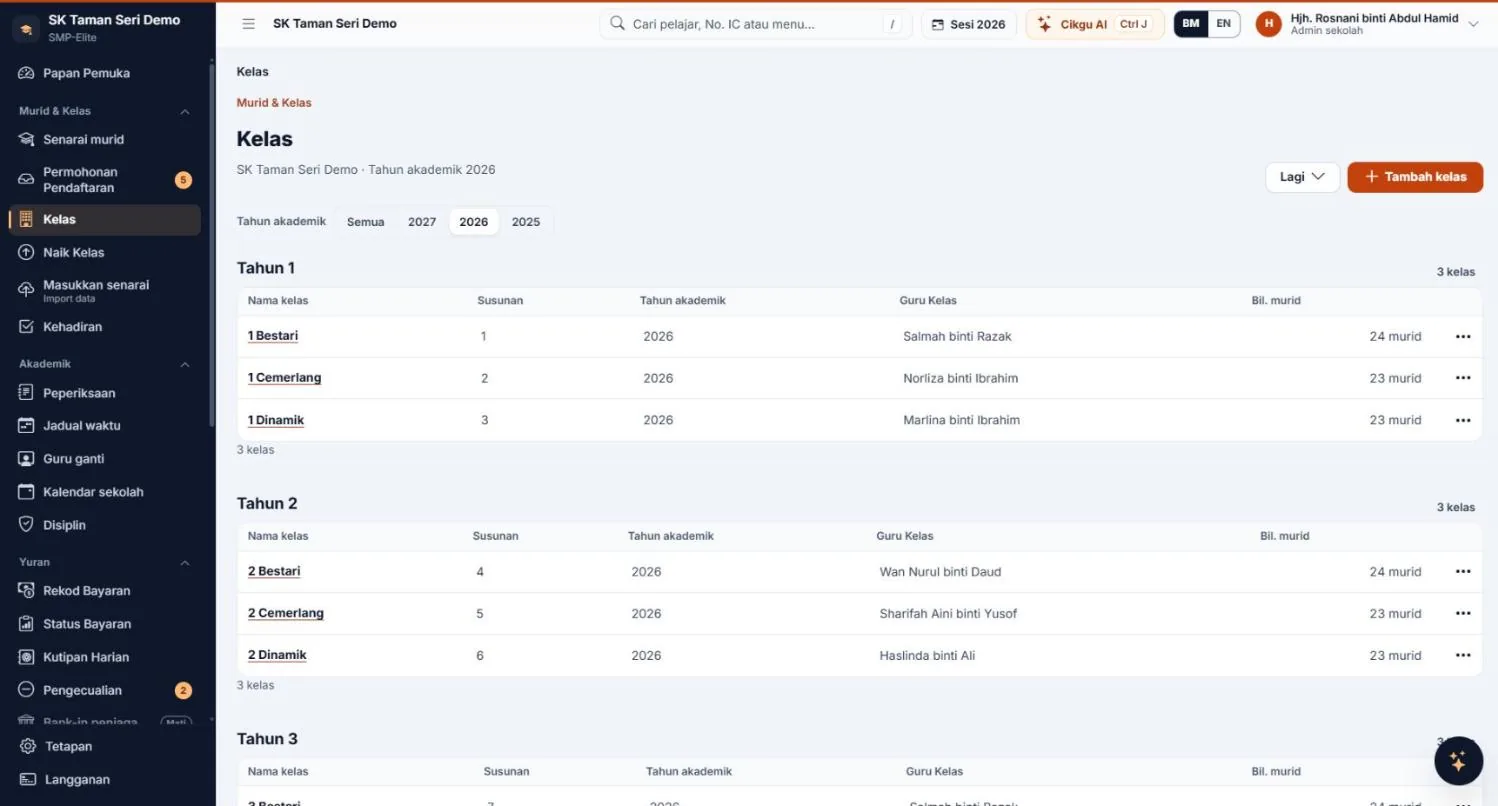
Tables, charts, key figures, drafts, buttons straight to the screen — and much more.
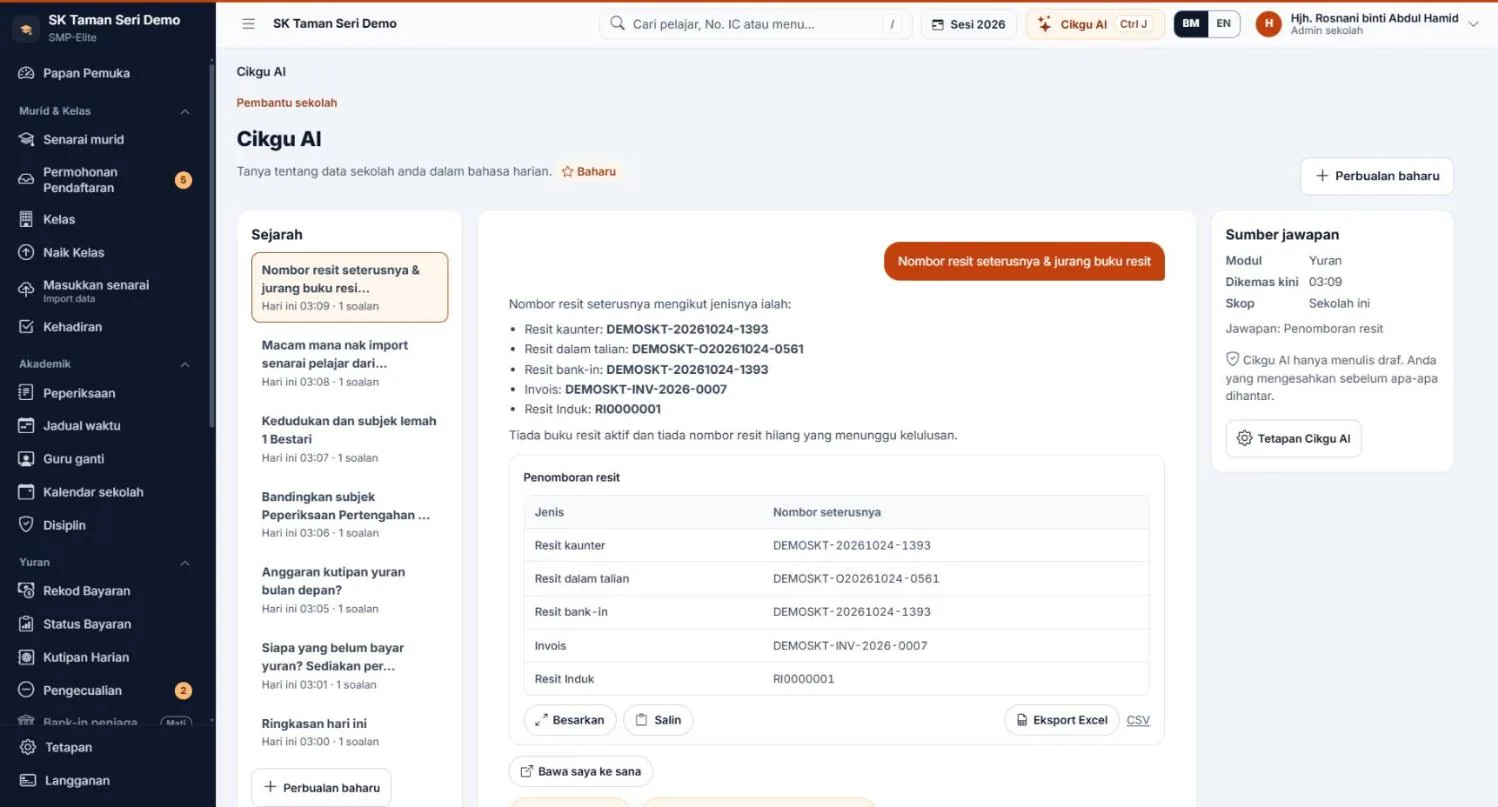
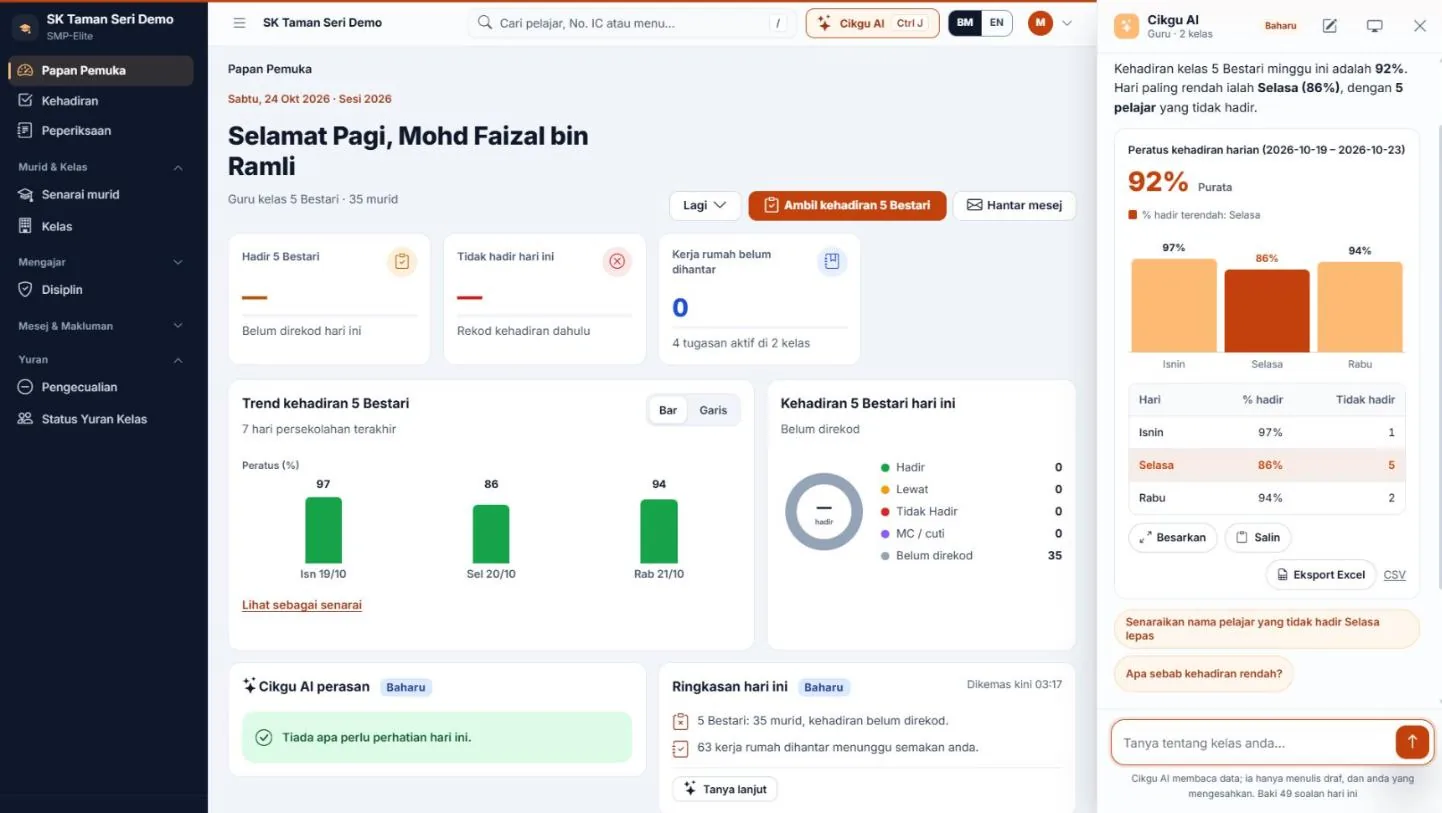
Some of the questions Cikgu AI answers today, by role.
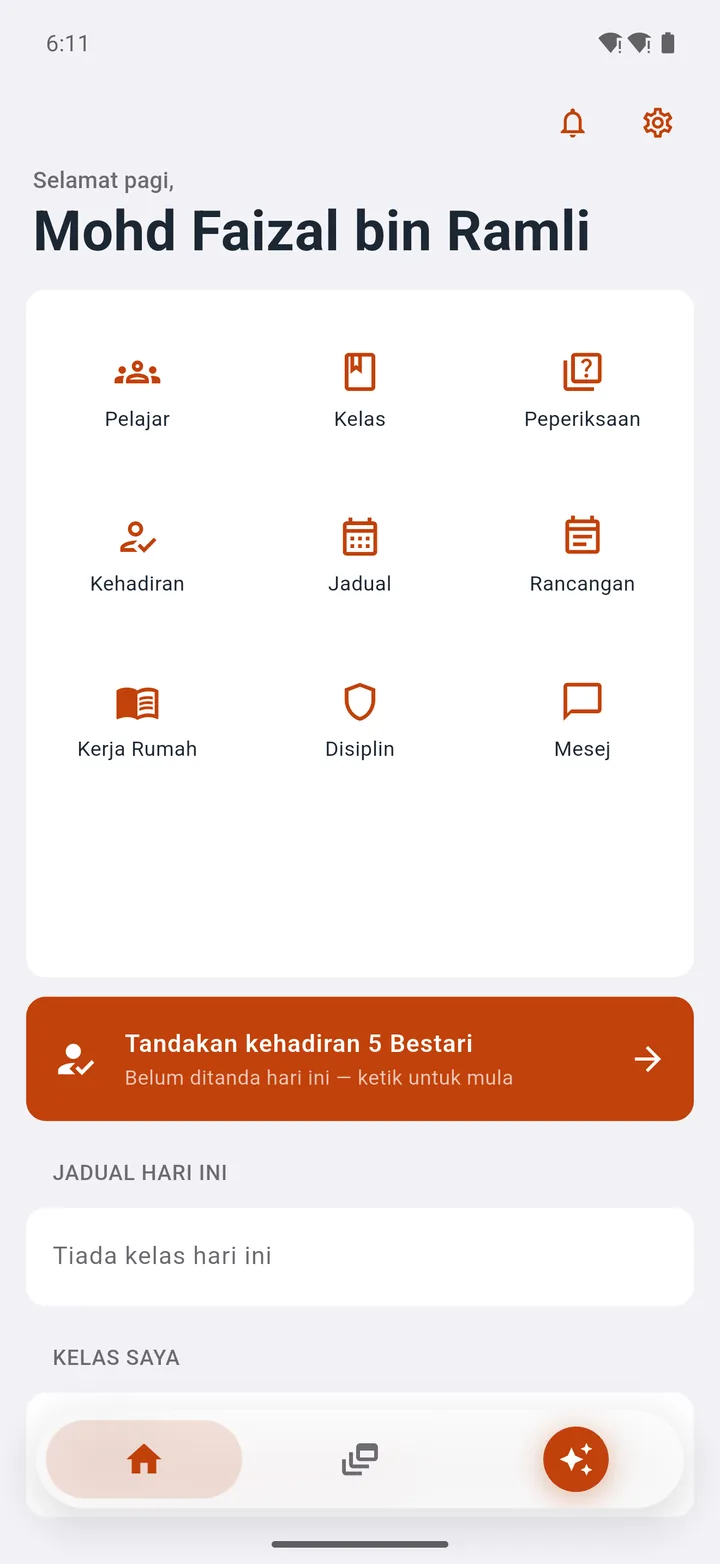
On your phone
Android app for teachers, parents and students — log in with the same SMP-Elite account. The app is currently in Bahasa Melayu.
Cikgu AI in every app — tap the star button at the bottom of the screen.
1 / 4
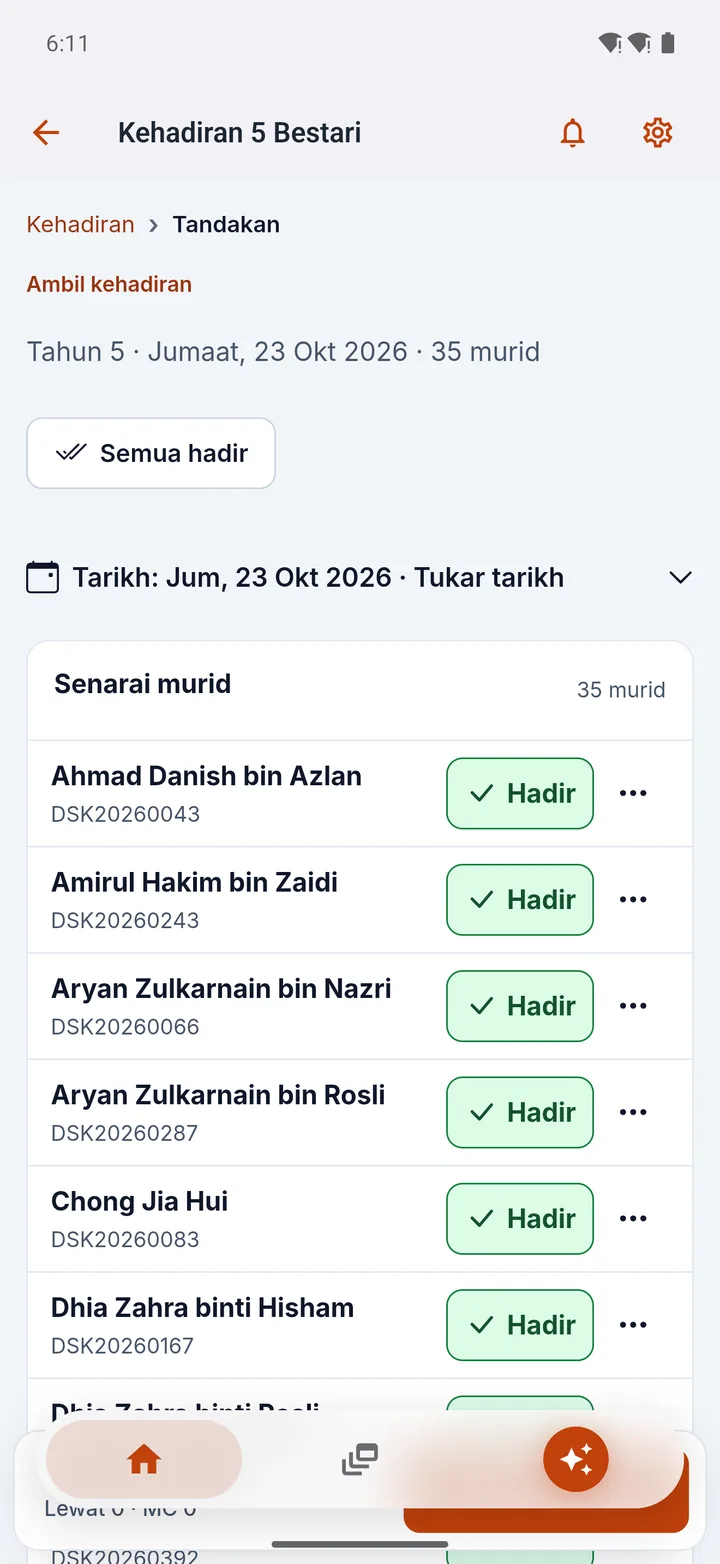
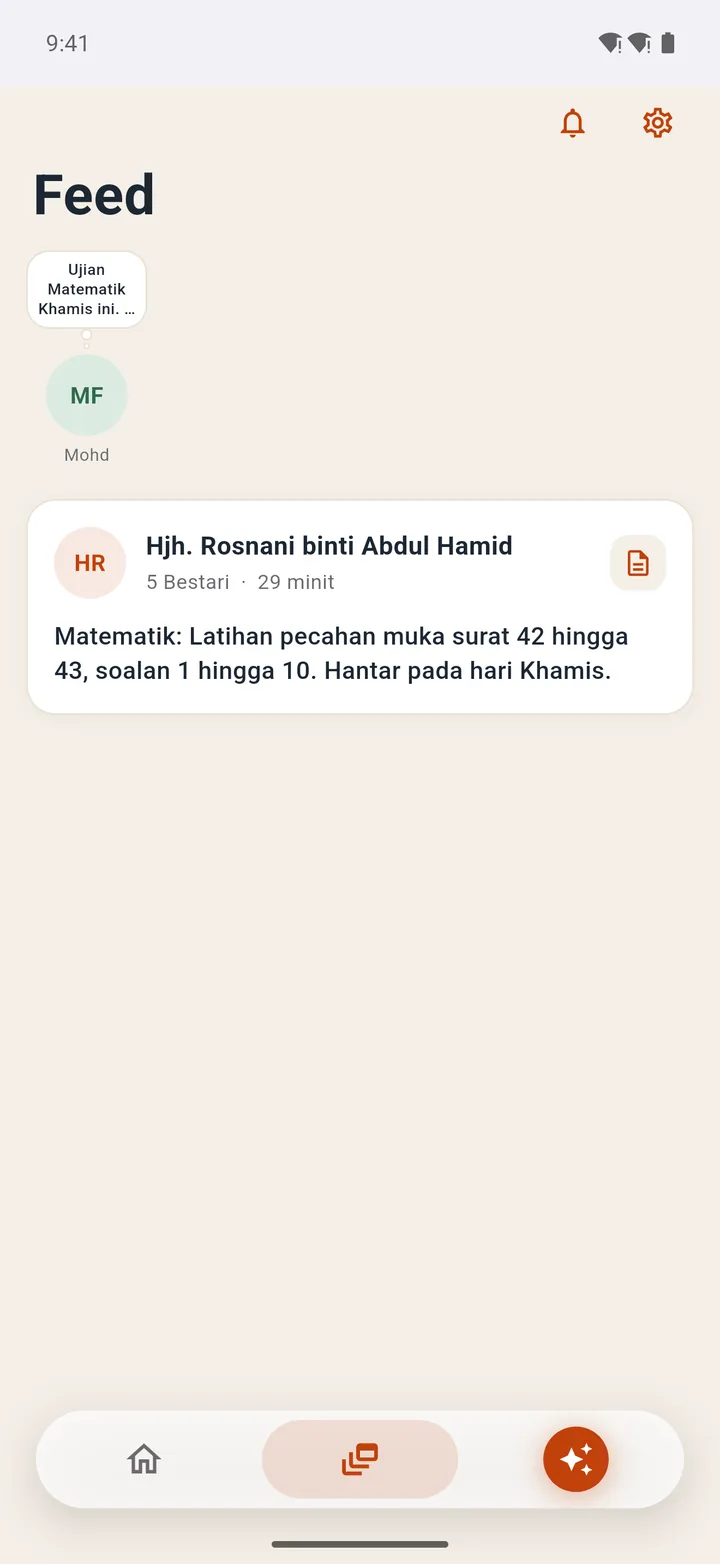
Nine modules on one screen — Students, Classes, Exams, Attendance, Timetable, Lesson Plans, Homework, Discipline and Messages.
2 / 4
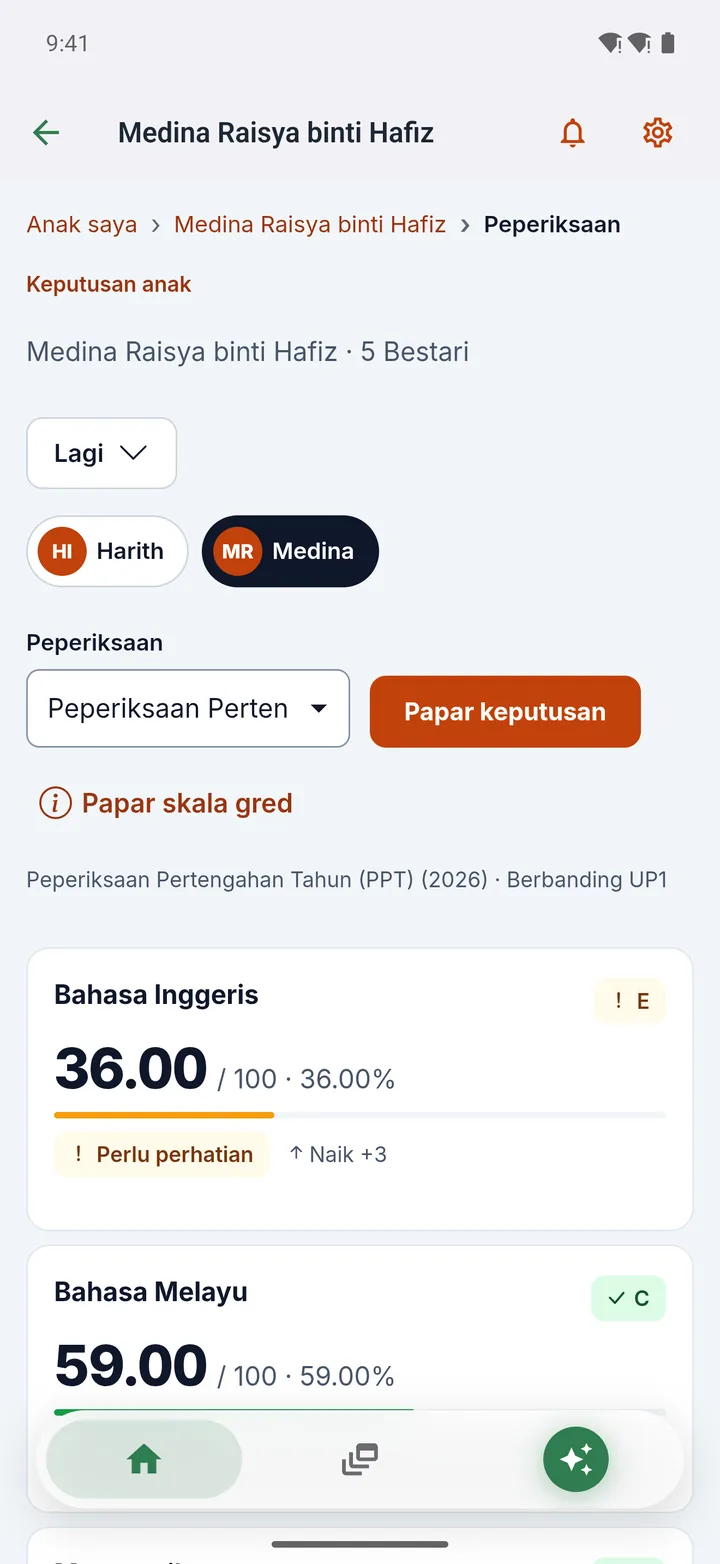
Every child in one account — fees, attendance and results, even across different schools.
3 / 4
Attendance, average results, homework and messages at a glance.
4 / 4
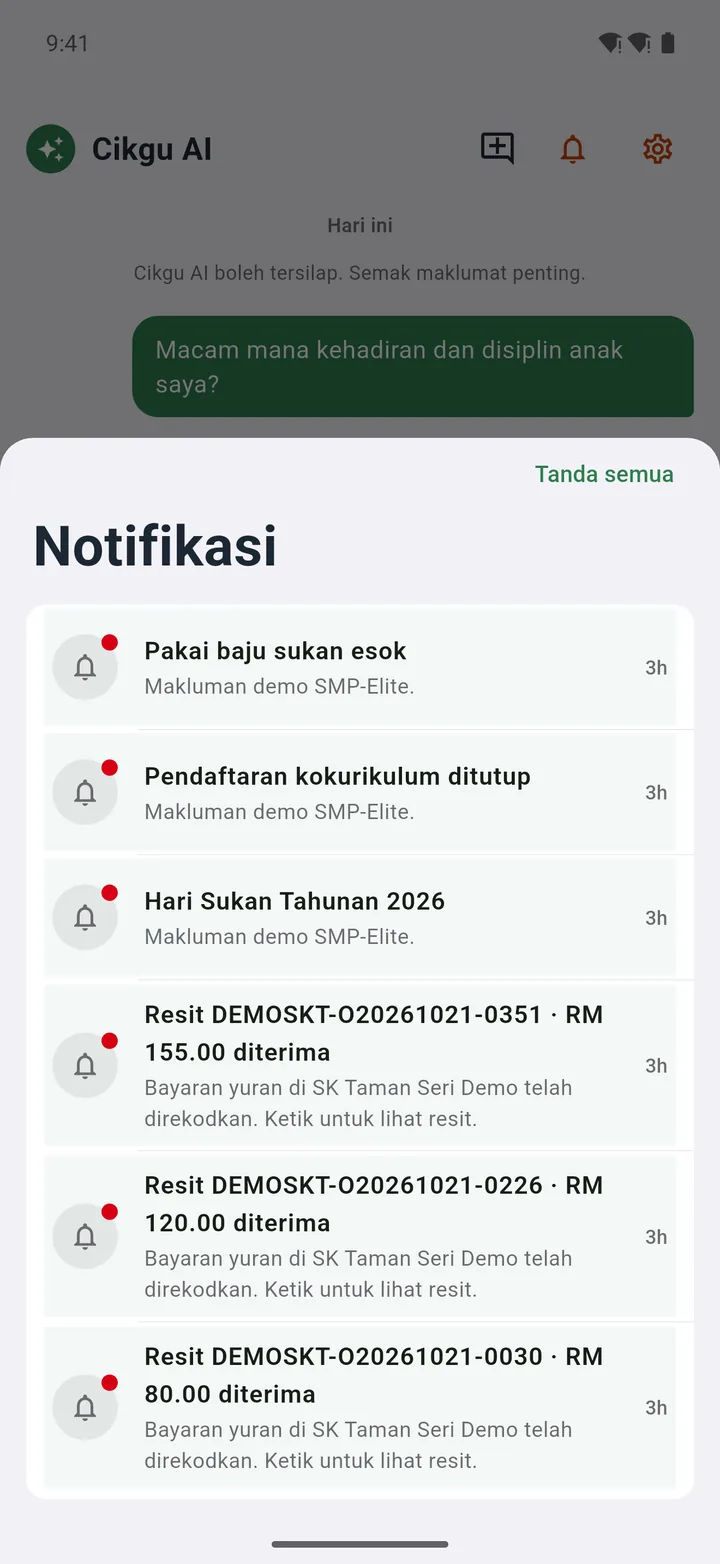
In every app. Ask in everyday language — answers come with charts and tables. Example: a parent asks about their children's attendance and discipline.
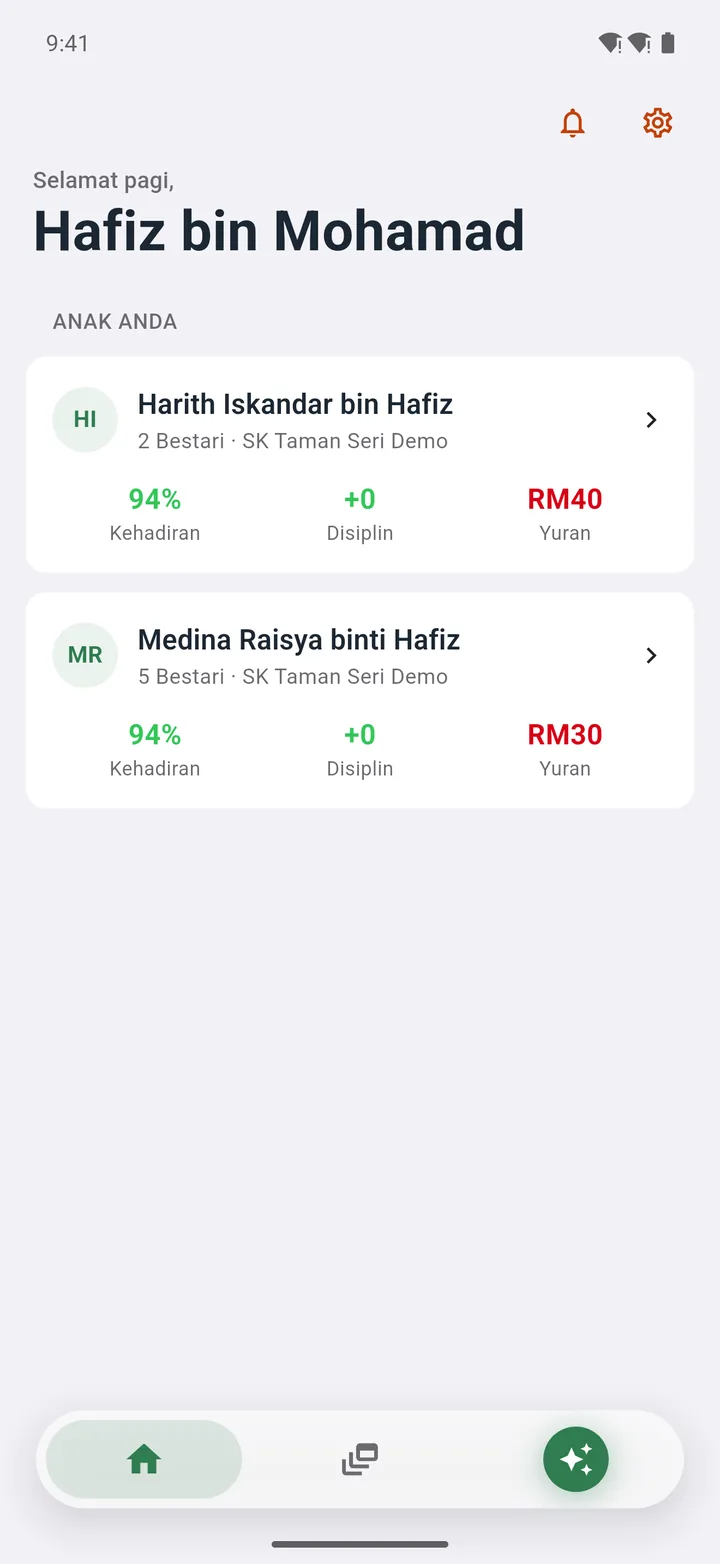
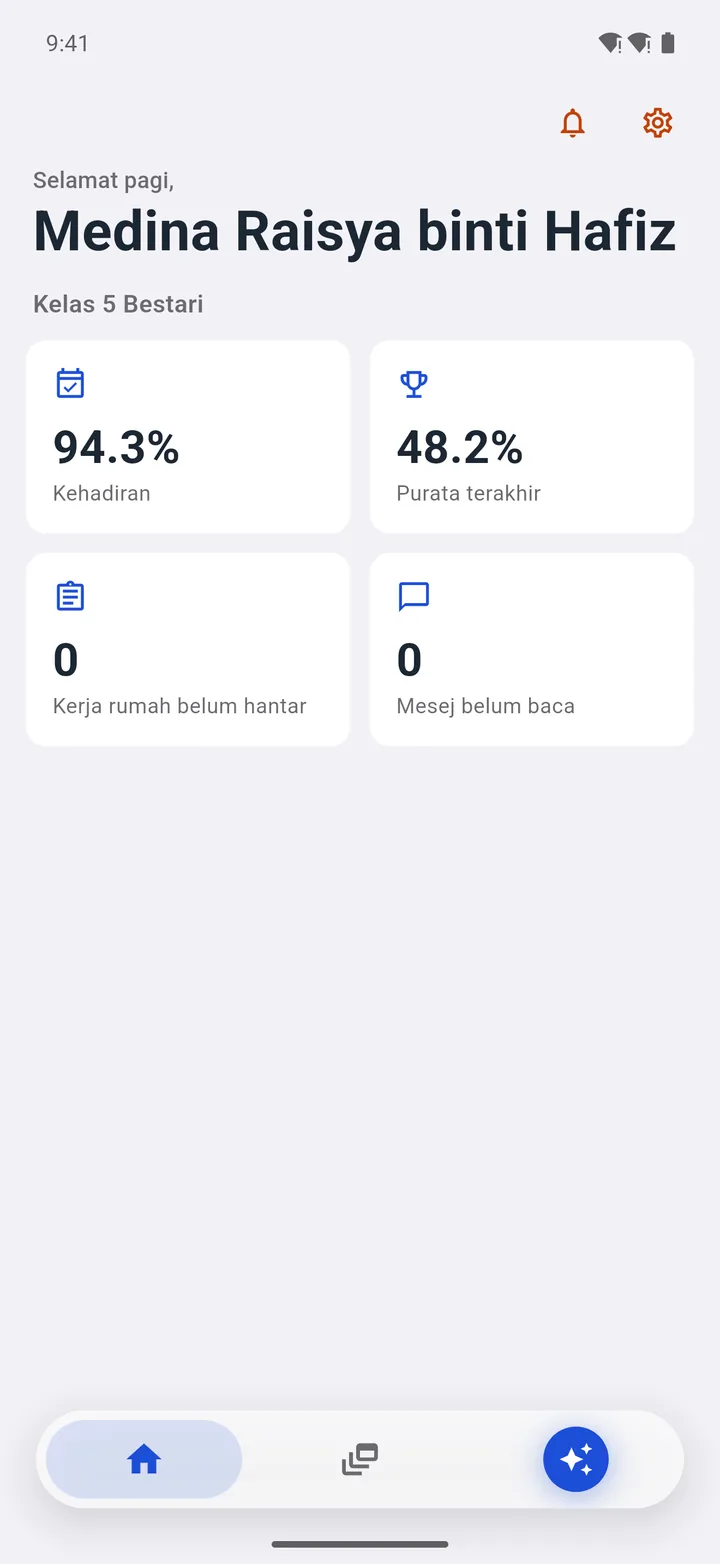
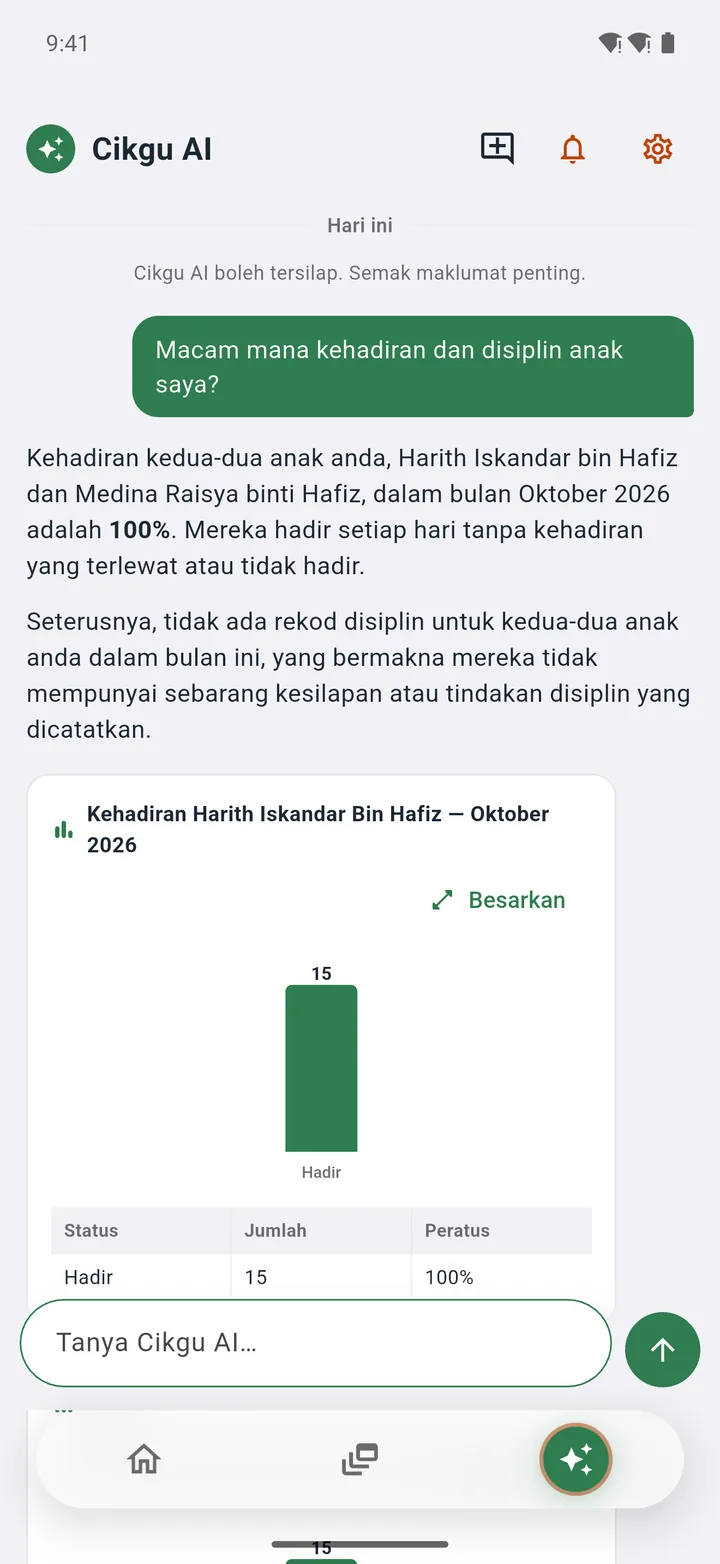
Parent accounts are activated by the school — log in with your IC number. iPhone users: use the web portal.
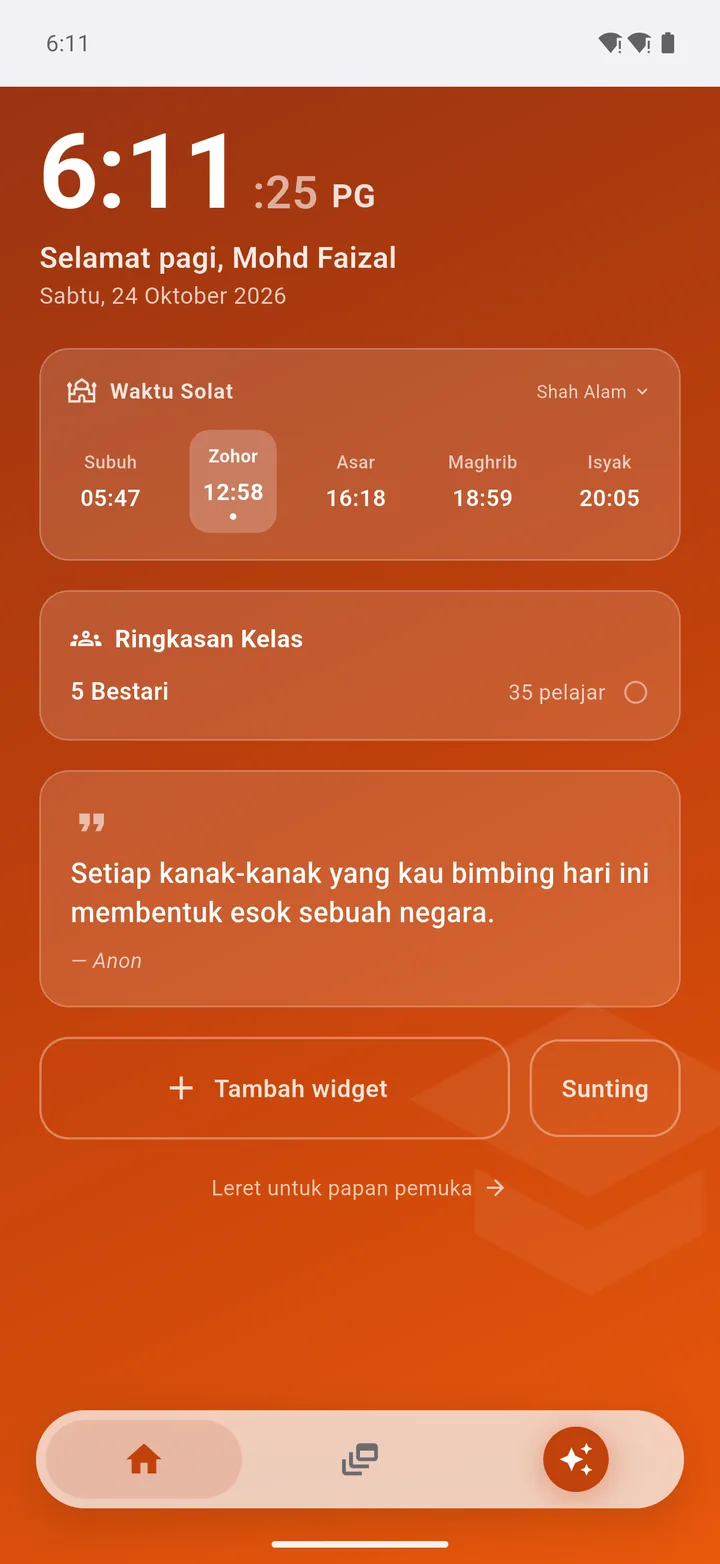
Modules
Start with 6 core modules and Cikgu AI in the Core plan, RM79 a month. Add PRO modules when your school is ready. Each tile shows which plan includes it.
Add-on modules RM20–RM50/month each, or take the Basic or Full plan.
Compare plans in the price table ↓LHDN e-InvoiceGenerate e-Invoices from fee receipts+RM40 · requires FeesEnlargeIt's this easy
Enter your school name and e-mail, confirm with an OTP code.
Upload your student list from Excel in one go.
Invite teachers, clerks and parents when you're ready.
Pricing
See for yourself what's in each plan.
| What you get | CoreRM79 | RecommendedBasicRM199 | FullRM299 |
|---|---|---|---|
| Monthly priceor pay yearly (2 months free) | RM79/monthor RM790 a year | RM199/monthor RM1,990 a year | RM299/monthor RM2,990 a year |
| Core | |||
| 6 core modules: Dashboard, Students, Classes, Import Data, Settings, Feed | Included | Included | Included |
| Cikgu AI | Included | Included | Included |
| Basic plan | |||
| Payments & Fees | +RM50a month | Included | Included |
| Attendance | +RM40a month | Included | Included |
| Exams | +RM40a month | Included | Included |
| Messages | +RM30a month | Included | Included |
| Full extras | |||
| Timetable, Management Reports | +RM30each | +RM30each | Included |
| Discipline, Activity Log, Class Promotion, Lesson Plans, Homework | +RM20each | +RM20each | Included |
| LHDN e-Invoice | +RM40requires Fees | +RM40requires Fees | +RM40requires Fees |
| Start now | Start 30-day trial | Start 30-day trial | Start 30-day trial |
Start a 30-day trial with every Full plan module (e-Invoice excluded), no credit card needed. Choose a plan when your school is ready — your data stays, no contract. Pay yearly: pay for 10 months, use 12 (2 months free). Schools with 1,000 or more active students: all prices × 1.5. Add-on modules can be added to any plan; LHDN e-Invoice requires the Payments & Fees module.
Choose a plan, tick the modules your school needs, and we'll show you the best-value option.
Pay every month. Switch to yearly at any time.
Every plan includes Core: 6 core modules and Cikgu AI.
Direct support from the developers. Your school's needs are heard first.
No contract. Stop at any time — your data stays even if your subscription ends.
Built around how local schools really work, from morning attendance to exam slips.
Tap a question to see the answer.
A school management system is software that brings together student records, attendance, exams, fee collection and parent messaging. SMP-Elite provides 18 modules in one login for private, tahfiz, kindergarten and religious schools in Malaysia.
A fee collection system records payments, issues official receipts and shows outstanding balances. In SMP-Elite, clerks collect at the counter and parents can pay online via FPX, card, DuitNow QR or e-wallet straight into the school's own merchant account.
Core RM79 a month for 6 core modules and Cikgu AI. Basic RM199 adds Payments & Fees, Attendance, Exams and Messages; Full RM299 covers every module except LHDN e-Invoice. Add-on modules RM20–RM50 a month each. Pay yearly: 2 months free. Schools with 1,000 or more active students: all prices × 1.5. Start with a 30-day trial, no credit card needed.
Data is stored on servers in Malaysia, built to comply with PDPA 2010, remains the school's property and is never sent to an outside AI. You can export to Excel at any time.
It depends on the institution's annual revenue (the exemption is currently below RM3 million; school fees are covered). Please confirm with LHDN or your tax adviser. The SMP-Elite e-Invoice module is a RM40-a-month add-on that generates MyInvois-format e-Invoices from fee receipts.
No. Upload your existing student list with the Import Data module. Need help? WhatsApp us.
No. The web portal works on any phone; the Android app is an optional extra.
No contract. Your data stays even if your subscription ends.
Sign up in minutes. 30-day trial, no credit card needed.