For treasurers, PIBG secretaries & school clerks
PIBG fee system — collection, receipts and reports without the log book
SMP-Elite helps the PIBG (Parent-Teacher Association) and the school collect PIBG fees separately from school fees. Every payment gets a numbered official receipt, parents can pay by FPX from their phones, and reports can be taken to the annual general meeting or the auditor. Try it for 30 days, no credit card.
No contract · No credit card · Your data stays even if your subscription ends
The treasurer's usual problems
Why is PIBG fee collection so hard to manage with books and Excel?
PIBG fees are usually collected at the same time as other payments at the start of the school year. The treasurer holds the receipt book, the secretary copies the list into Excel, and the clerk keeps a copy of their own. By the time of the annual general meeting, those three records rarely match.
The most common problems:
- PIBG money and school money get mixed in one sheet, so the report has to be separated again by hand.
- Receipt books go missing, numbers are skipped, or a receipt is removed without a trace.
- Nobody is sure which parents have not paid, or how much they still owe.
- The auditor asks for proof, but all there is are handwritten notes.
The work usually falls on a treasurer and clerk who are already busy with other duties, and small mistakes are hard to spot until the end of the year. SMP-Elite brings it all into one web system. There is nothing to install on the school computers. For a general guide to leaving Excel behind, read managing school fees without Excel (in Malay).
Separate accounts
How is PIBG fee collection kept apart from school fees?
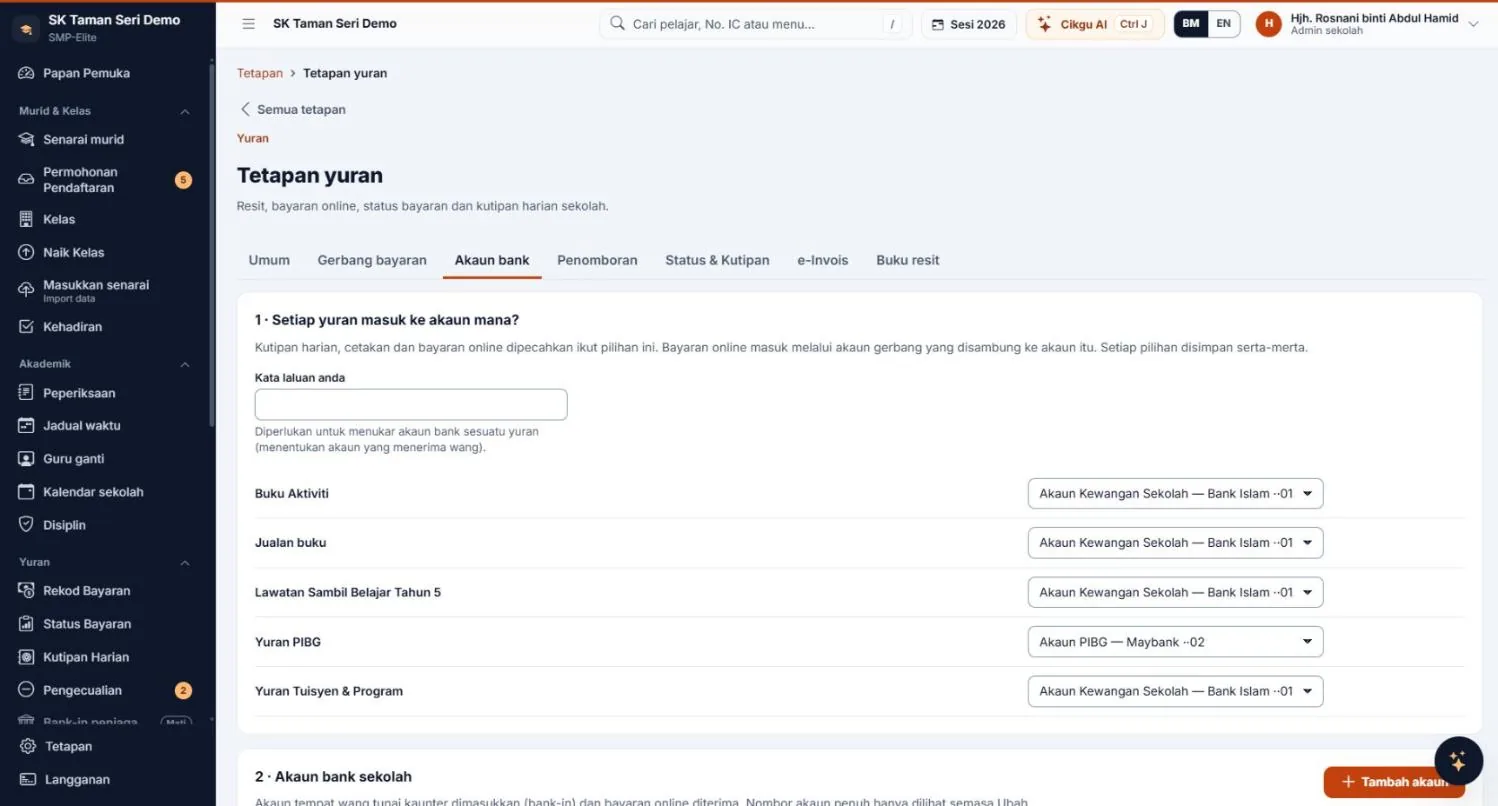
Every fee is matched to the right bank account. PIBG fees go to the PIBG Account, while other fees go to the School Finance Account. Daily collection, printouts, online payments and reports are split by account, so PIBG money never mixes with the school's main account.
Changing the account of a fee needs the administrator's password and every change is recorded. That stops an account being switched quietly in the middle of the year.
The system does not set the PIBG fee amount. The administrator types in the amount and item name according to what the school and the PIBG have decided, and the system simply organises the collection.
For government schools, the amount and rules for PIBG fees follow what the school and PIBG decide, together with the guidelines in force. SMP-Elite does not replace those rules. It organises the records so they are easy to show when requested.
How to set it up, in short:
- Register the school and start the 30-day trial, with the school as the account owner.
- Import the pupil list from Excel so every parent has a fee record.
- Create a PIBG Fee item and choose the PIBG Account as its bank account.
- Start collecting at the counter, or open online payment for parents.
Official receipts
How are PIBG fee receipts issued and traced?
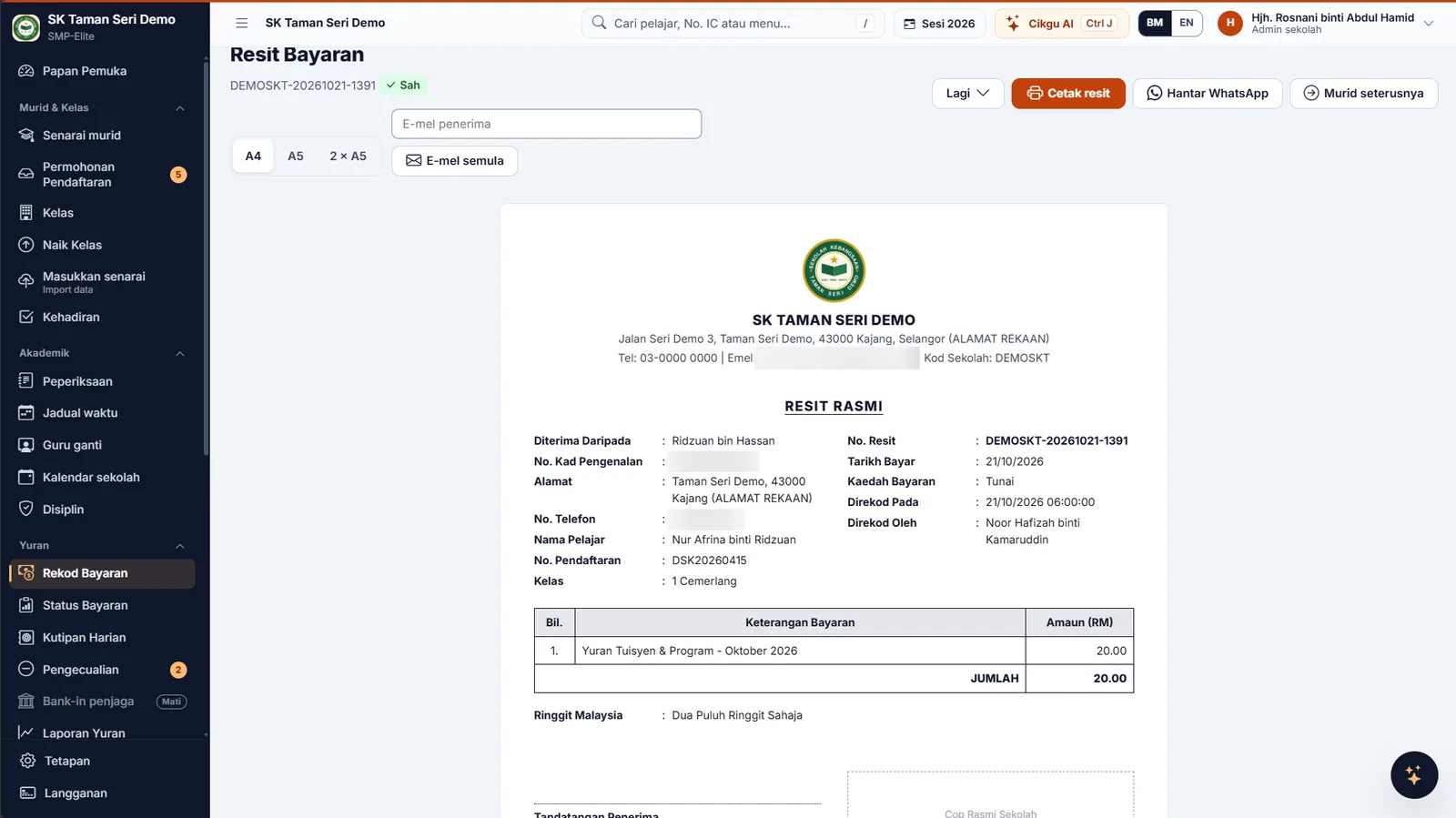
Every payment, at the counter or online, produces a numbered official receipt. Receipts can be printed or sent by WhatsApp and e-mail. The administrator sets the receipt number format.
For the treasurer, numbered receipts that cannot be deleted mean every ringgit collected has proof that can be checked again. For parents, the receipt is valid proof that the PIBG fee has been settled.
- Cannot be deleted. A wrong receipt can only be cancelled, and cancelling needs a recorded reason.
- Partial payments. Money is applied to the oldest fee first, and the receipt shows the balance left.
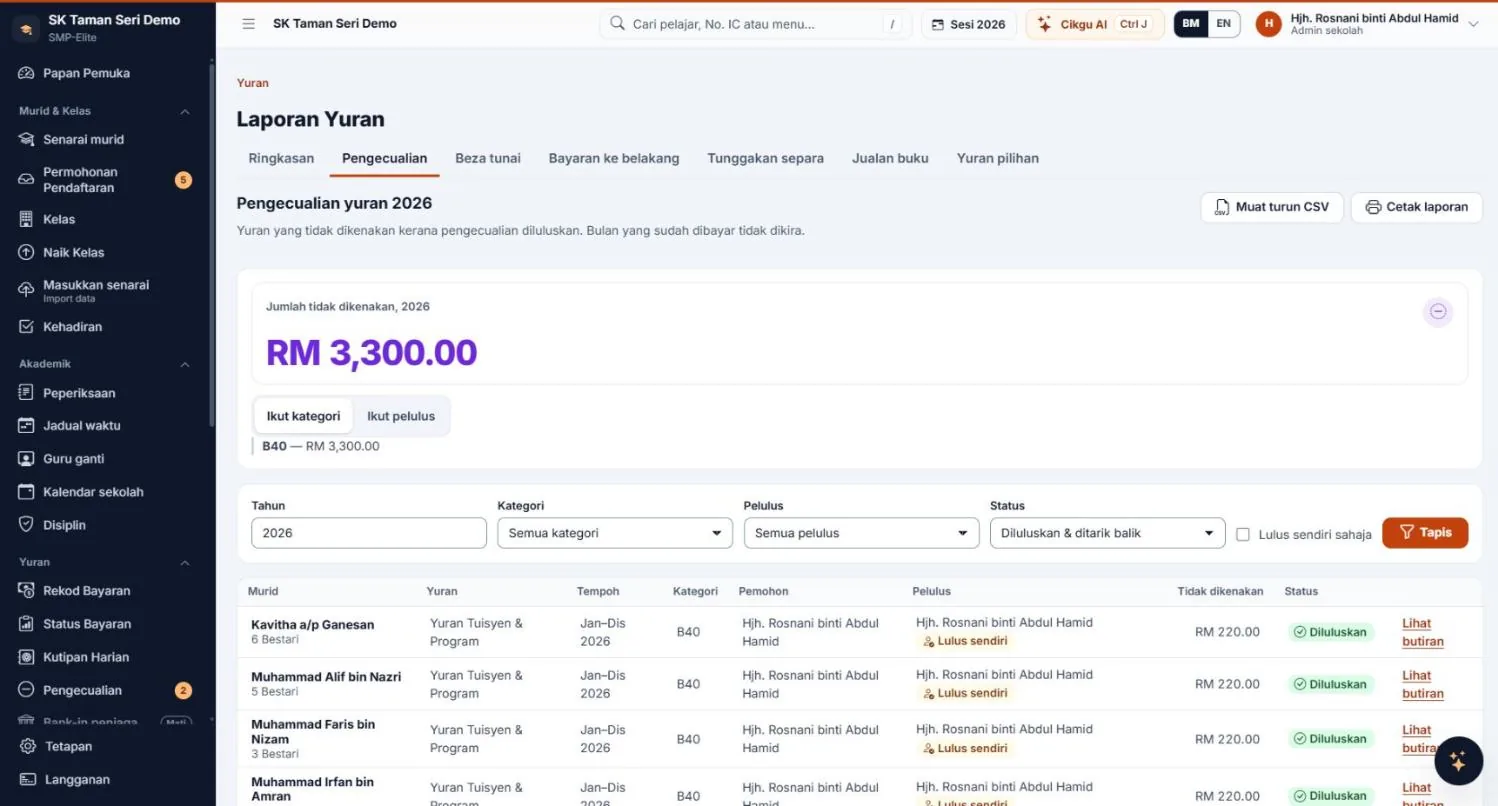
- Exemptions. Fee exemptions are approved by an administrator, and the category is not shown to teachers or guardians.
Want to see what a receipt looks like first? Try the fee receipt generator or read a sample school fee receipt (both in Malay).
Online payment
Can parents pay PIBG fees from their phones?
Yes. Parents pay by FPX through ToyyibPay or CHIP, from the web portal that works on any phone. The Android app for guardians is optional, not a must. A receipt is issued automatically once payment succeeds.
Online payments are also split by account, so PIBG collection that comes in through FPX shows up beside counter collection in the same report. Parents who live far away or work during the day do not need to come to school just to pay.
For the treasurer and clerk, counter and online collection are seen in one place. There are no longer two separate lists to reconcile on the weekend.
Payment methods and transaction charges depend on the gateway and the school's agreement with the provider. How the money reaches the account also follows that agreement.
AGM and audit
What reports can you take to the annual general meeting and the auditor?
The headmaster and the PIBG chairperson can see daily collection, total arrears and reports split by account. The treasurer does not have to rework the figures before the meeting.
When the chairperson or a committee member asks "how much has been collected?", the answer matches what the clerk sees, because both read the same record. That cuts down misunderstandings at the meeting.
- Printable daily collection for the clerk and treasurer to check.
- CSV export to open in Excel or hand to the auditor.
- An audit log that records every setting change, receipt cancellation and online payment, so changes can be traced.
The data stays the school's, and you can export it at any time.
Arrears
How do you chase overdue PIBG fees politely?
The system gives you an arrears chase list with polite, ready-written WhatsApp messages, a privacy mode, and reminders the school can configure. You can see who has not paid and how much they owe without flipping through a book.
The tone of the message matters, because many parents pay late for good reasons. Read how to collect overdue fees (in Malay) for guidance on contacting them.
Parents with several children at the same school do not have to keep many separate receipts. The treasurer can also check each family's balance before getting in touch, instead of guessing from memory or notes on paper.
Pricing
Does the PIBG need its own subscription, and what does it cost?
The school takes the subscription. The PIBG uses the system inside that school's account. There is no separate PIBG plan.
The Fees & Payments module is in the Basic plan (RM199 a month) and the Full plan (RM299 a month). The Core plan (RM79 a month) does not include the fees module. Pay yearly: 10 months for 12. Schools with 1,000 or more active pupils pay × 1.5.
The 30-day trial uses every Full plan module (e-Invoice excluded). No credit card, no contract. See the pricing page or read about the school fee collection system in full.
Questions treasurers and clerks ask
Tap a question to open the answer.
What is a PIBG fee system?
A PIBG fee system is a way to organise PIBG (Parent-Teacher Association) fee collection in one place: fee items, counter or online collection, official receipts, arrears and reports. In SMP-Elite, PIBG fees are matched to the PIBG Account, other fees go to the School Finance Account, and reports are split by account.
Can we keep the PIBG account separate from the school account?
Yes. Choose a bank account for each fee, for example PIBG Fee to the PIBG Account. Changing the account of a fee needs the administrator's password and is recorded. Daily collection, printouts, online payments and reports are split by account.
How are PIBG fee receipts issued?
Every payment gets a numbered official receipt that can be printed or sent by WhatsApp or e-mail. A receipt cannot be deleted and can only be cancelled with a recorded reason. The administrator sets the receipt type and number format.
Can parents pay PIBG fees online?
Yes. Parents pay by FPX through ToyyibPay or CHIP, from the web portal on a phone or the Android app. A receipt is issued automatically. Payment methods and transaction charges depend on the gateway and the school's agreement with the provider.
What PIBG fee amount should be set in the system?
The system does not set an amount. The school administrator creates the fee items and types in the amount according to what the school and the PIBG have decided. Check with your school or PIBG for the amount and the rules that apply.
Can the reports go to the annual general meeting or the auditor?
Yes. Reports can be printed or exported to CSV, and are split by account. Every setting change, receipt cancellation and online payment is recorded in the audit log, so changes can be traced.
Does the PIBG need to subscribe on its own?
No. SMP-Elite is subscribed to by the school, and the PIBG uses it inside that school's account. There is no separate PIBG plan. The Fees & Payments module is in the Basic and Full plans, or can be added to Core as an extra module.
What if a parent only pays part of the fee?
At the counter, a partial payment is accepted and applied to the oldest fee first. The receipt shows the balance left, and that balance appears in the arrears chase list.
Related reading
Further reading for treasurers and clerks
- School fee collection systemAll the fee collection, receipt and report features.
- Fee receipt generator (BM)Try how a receipt looks before you start.
- Sample school fee receipt (BM)What should appear on a receipt.
- How to collect overdue fees (BM)Polite steps for contacting parents.
- PricingPlans and subscription terms for schools.
Your PIBG collection, organised from this school year.
Sign up in minutes. 30-day trial, no credit card needed.